Month-End Reconciliation Software That Replaces the Close Tracker Spreadsheet

Kosh AI Gives Controllers a Live View of Every Account on the Close Checklist, Not a Status Update Chased Down One Email at a Time

  • Replaces the Shared Close Tracker With a Live Account View
  • Flags Unreconciled Balances Days Before the Deadline
  • Shows Exactly Which Account, Owner, and Entity Is Still Open
  • Keeps Timestamped Documentation Ready for the Next Audit
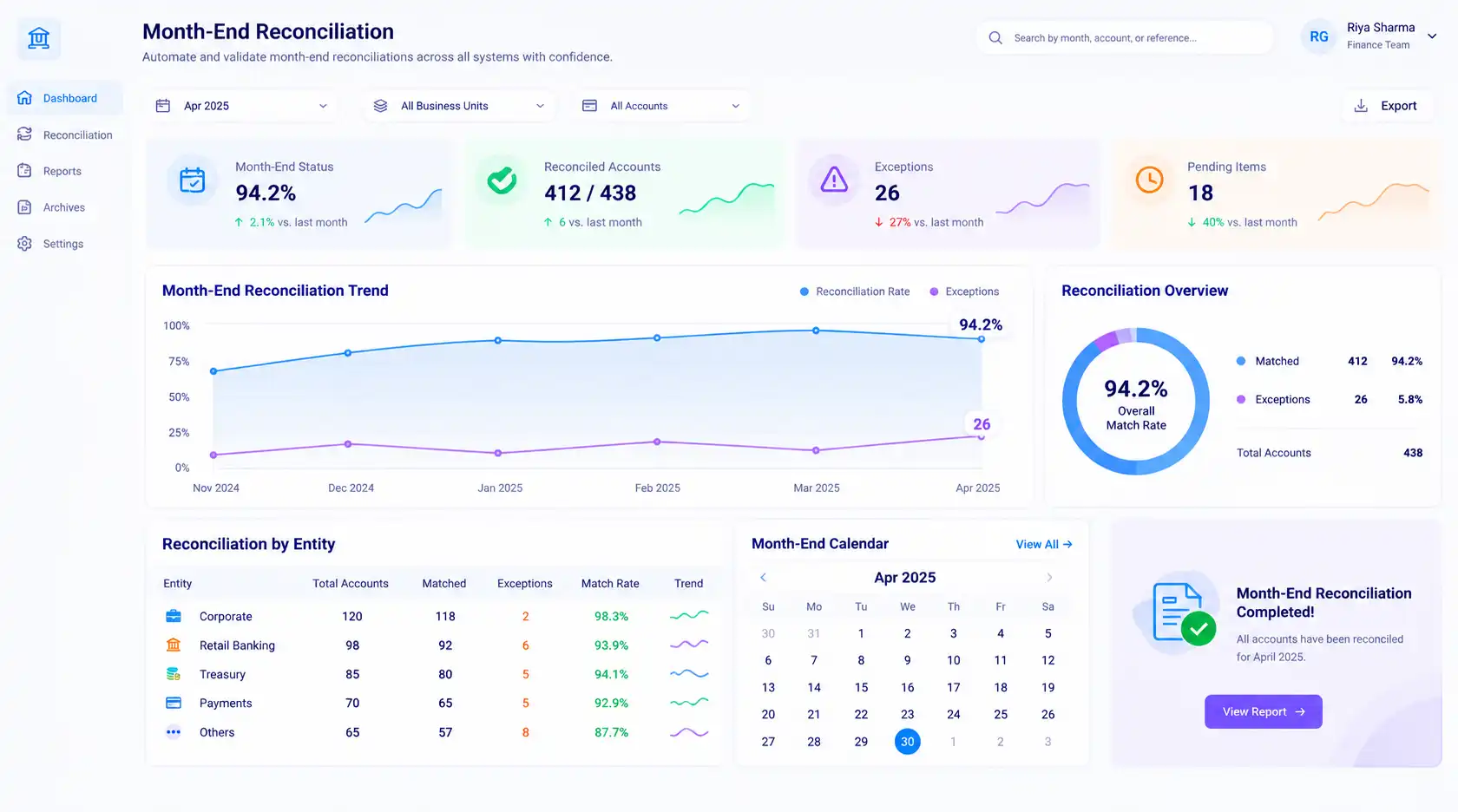
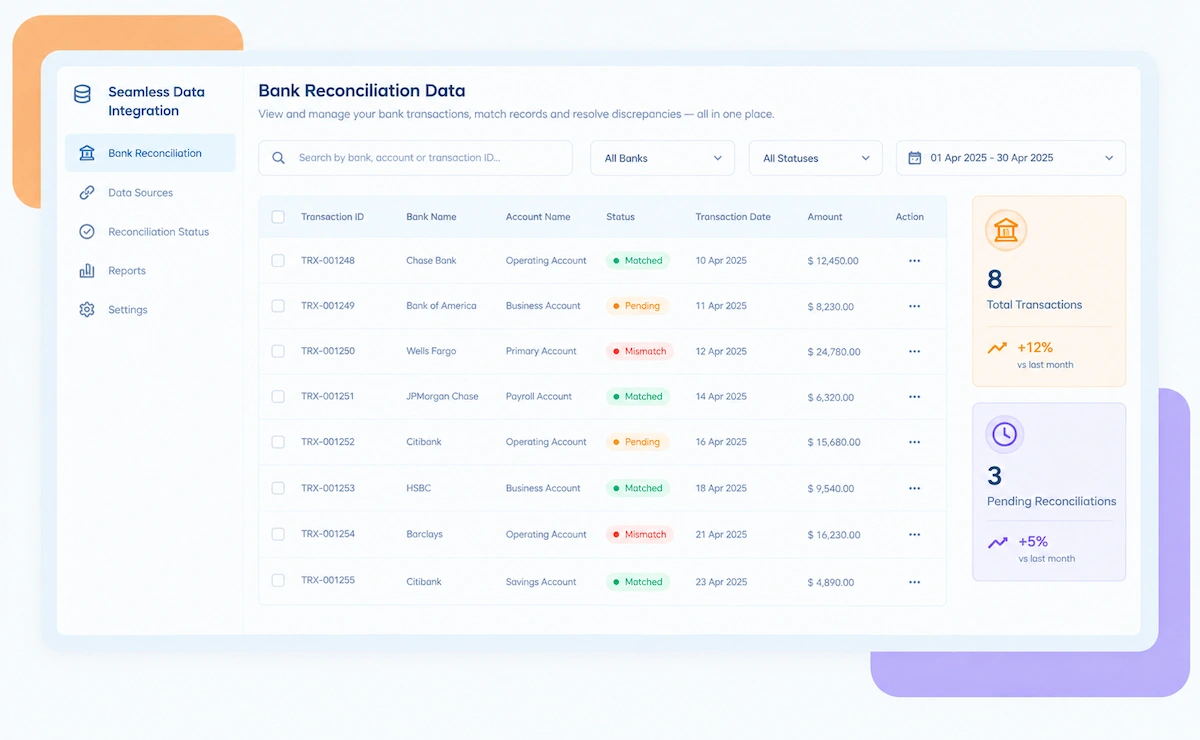
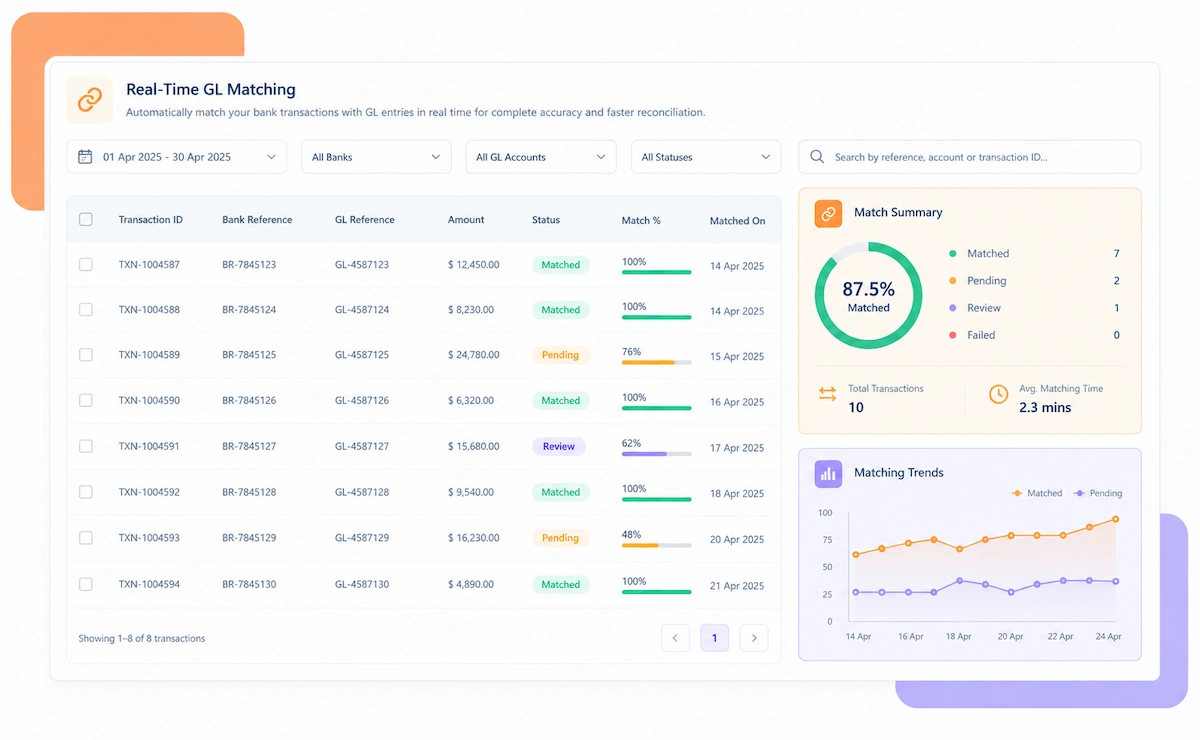
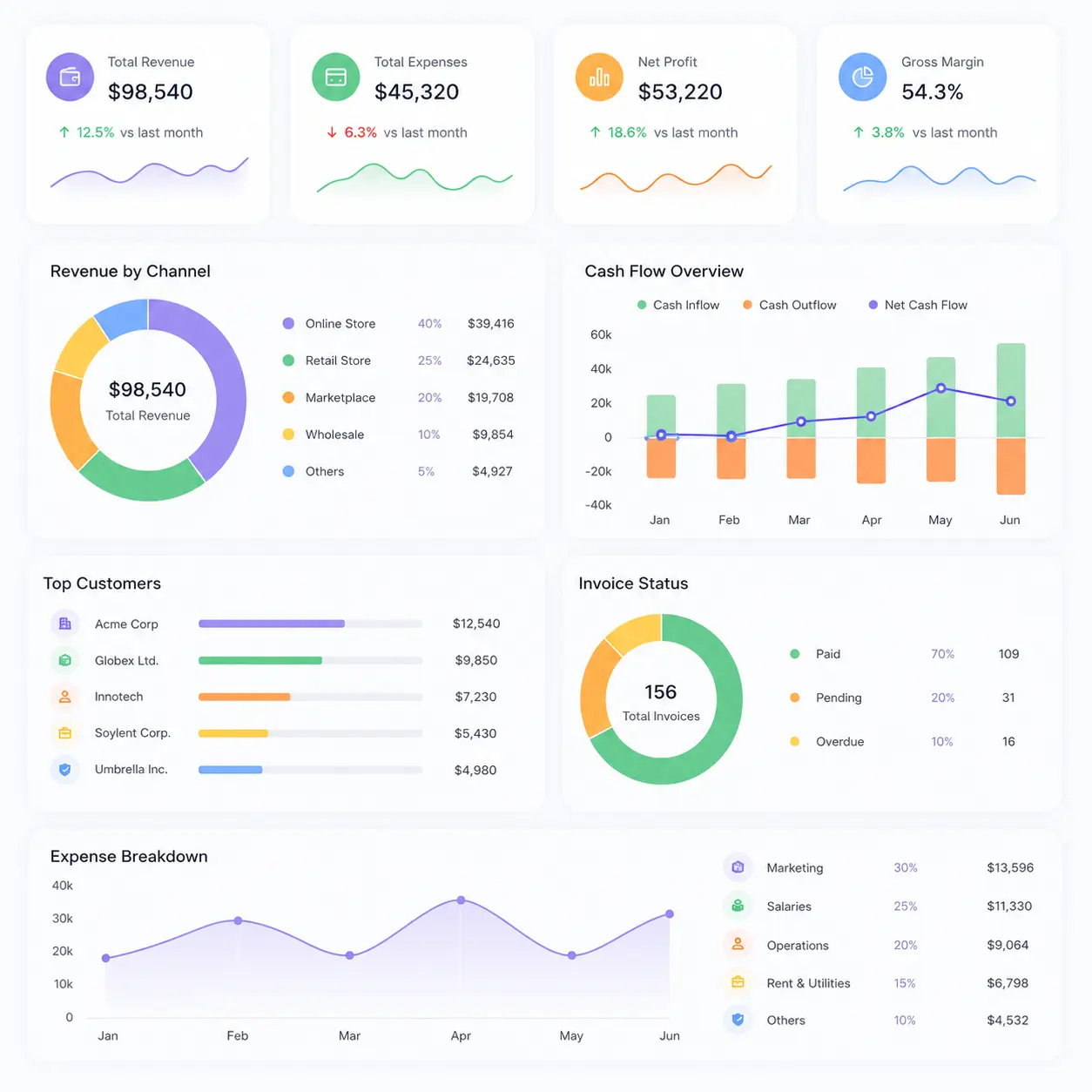
Kosh AI Month-End Reconciliation Software Dashboard

NEW 2026 Month-End Reconciliation Tool

On Day 4 of Close, Does Anyone Actually Know Which Accounts Are Still Open?

Most close trackers are a shared spreadsheet nobody updates in real time. Kosh AI replaces it with a live view of every account's status, so the controller isn't piecing the answer together from a dozen email threads.

What Month-End Reconciliation Software Automates for Close Teams

A typical month-end close touches dozens of accounts across bank, ledger, and subledger systems, and the status of each one usually lives in someone's head until a tracker spreadsheet gets updated, which happens inconsistently at best. Kosh AI makes the account status itself the thing being tracked, automatically, not a manual report about it.

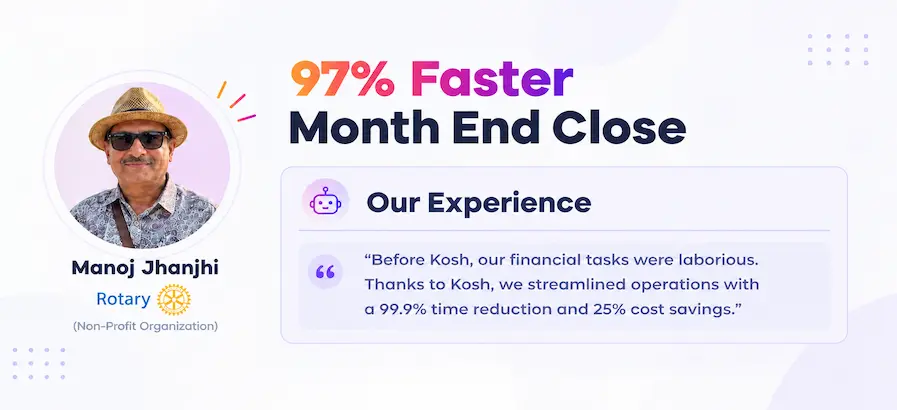
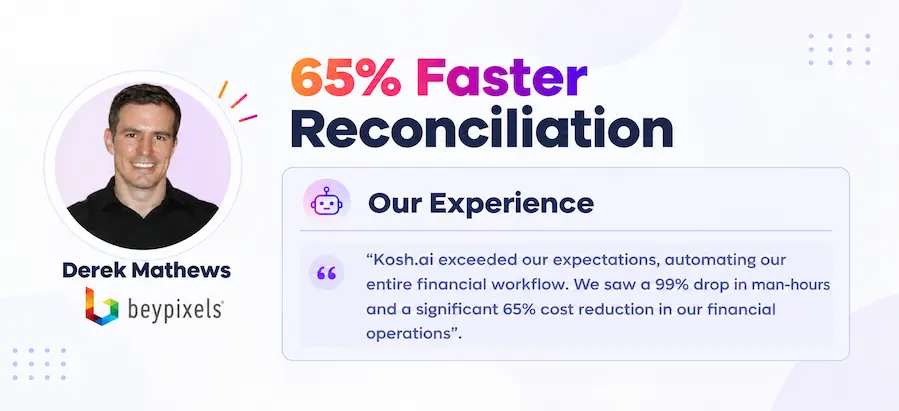
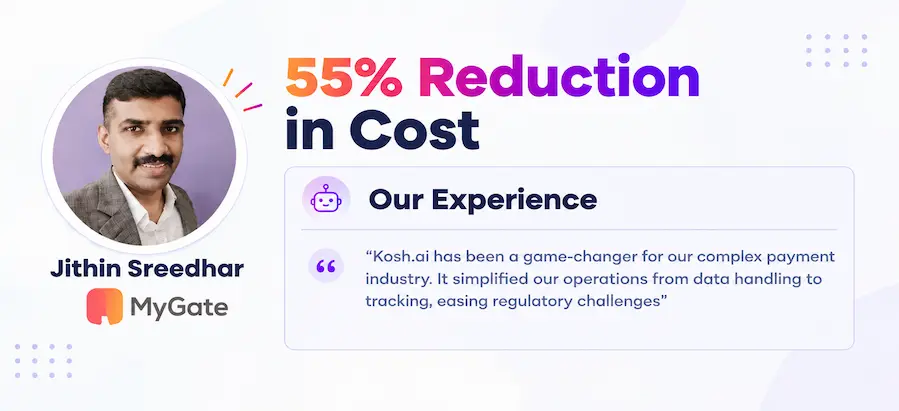
Proven Results From a Faster Month-End Close

Konica Minolta Business Solutions, U.S.A., Inc.
Ring Container
Conference Direct

How Month-End Reconciliation Software Works in Four Steps

You don't need to overhaul your close calendar or chart of accounts. Kosh AI connects to the systems you already close with and turns the close checklist into something live instead of a spreadsheet someone updates by hand.

  • Every Account in One Place: Kosh AI pulls in every account on your close checklist from bank, ledger, and subledger systems.
  • No Separate Tracker: There's no need to maintain a shared spreadsheet alongside the reconciliation work itself.
  • Owners and Deadlines Set: Each account is assigned an owner and a deadline inside the same workflow.
  • Ready for the New Period: The checklist resets automatically at the start of each close cycle.
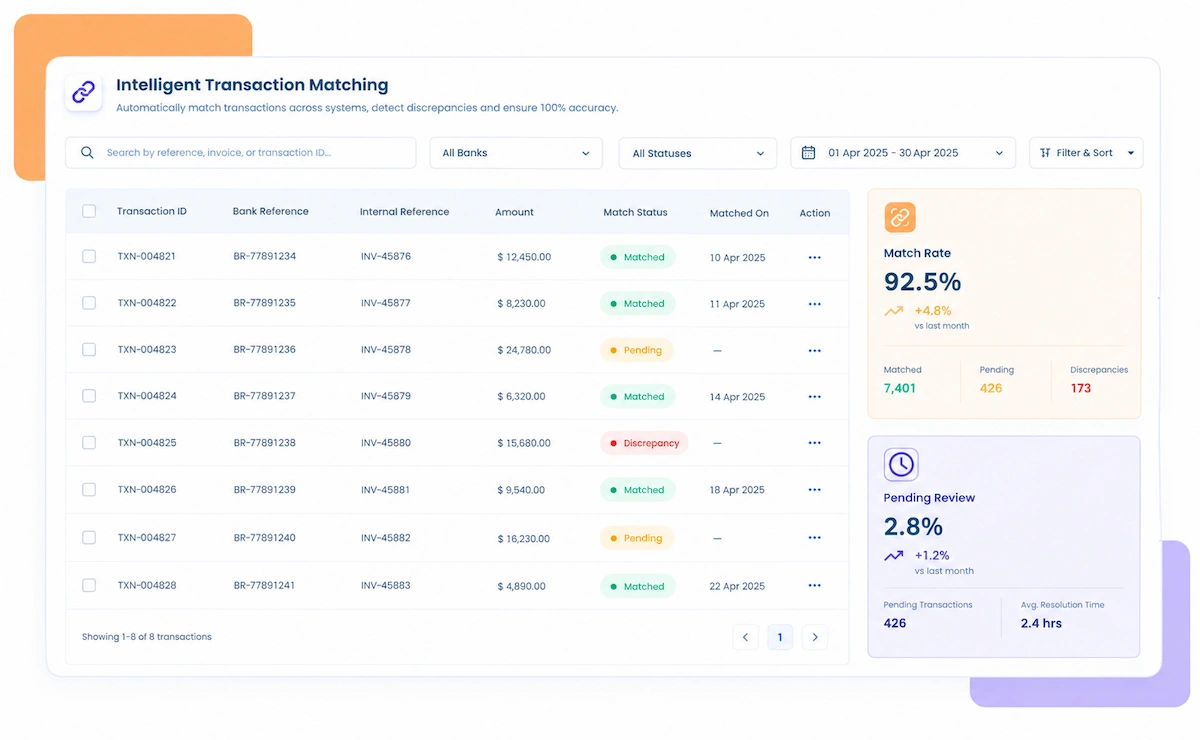
  • AI-Powered Matching: Transactions are matched across bank, ledger, and subledger accounts automatically.
  • Adaptive Rules: Matching logic adapts to each account's typical transaction pattern.
  • Handles Volume: High transaction counts across many accounts don't slow down the close.
  • Continuous Learning: Matching accuracy improves with every close cycle.
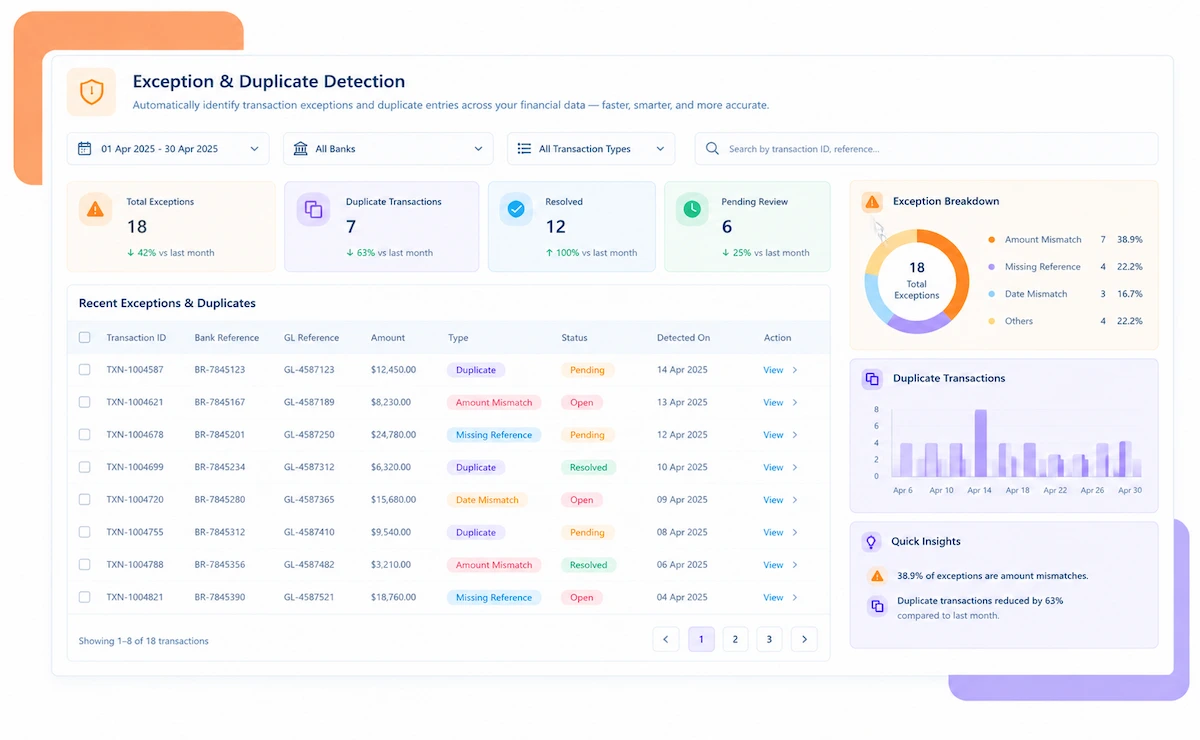
  • Early Alerts: Unreconciled balances are flagged as soon as they appear, not on the last day of close.
  • Routed to the Right Owner: Exceptions go straight to whoever is responsible for that account.
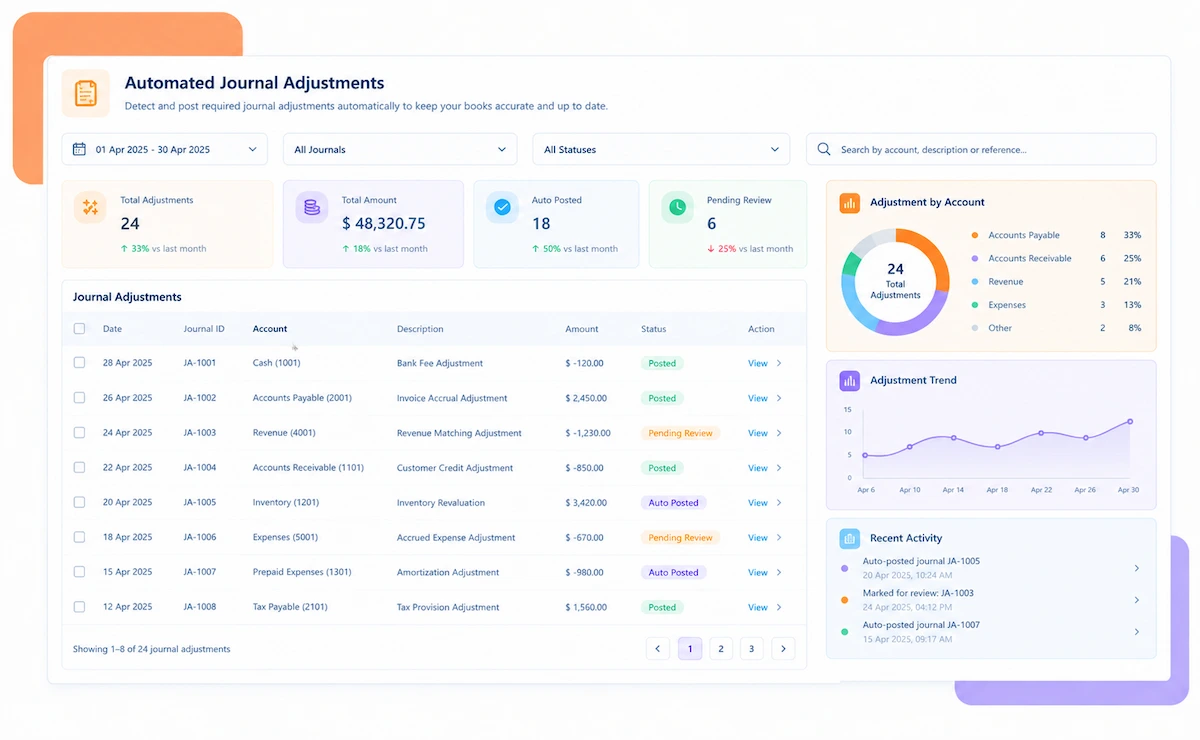
  • Suggested Actions: Recommendations for adjustments or journal entries come with the exception.
  • Faster Resolution: Accounts close out well before the deadline instead of right up against it.
  • Automated Sign-Off Routing: Reconciled accounts move through approval workflows automatically.
  • Close Status Visibility: Leadership sees exactly which accounts are closed, pending, or flagged, live.
  • Audit-Ready Documentation: Every match and approval is logged with a timestamp automatically.
  • Complete Control: A clear view of every account's status is available throughout the cycle, not just at the end.

Month-End Reconciliation Across ERPs, Industries & Company Sizes

Kosh AI's month-end reconciliation software adapts to your close calendar, your chart of accounts, and however your finance team is structured.

SAP

Automate high-volume account reconciliations and streamline intercompany matching with real-time data sync for SAP environments.

Netsuite

Replace manual close spreadsheets with automated subledger-to-ledger matching built for NetSuite.

Oracle

Centralize multi-entity close reconciliation and automate recurring journal checks for Oracle Cloud.

Sage

Use native connectors for Sage to automate bank and ledger reconciliation and accelerate the monthly close.

Manufacturing

Eliminate manual multi-ERP close reconciliations and automate journal checks for shared cost allocations across plants.

Software

Streamline deferred revenue reconciliation and accelerate multi-currency close for recurring revenue models.

Retail

Automate matching of daily POS totals into the month-end close across every storefront.

Healthcare

Bridge billing systems and the general ledger while keeping close documentation audit-ready for facility-level accounts.

Enterprise

Kosh AI centralizes month-end reconciliation for enterprise close teams, giving the controller a live checklist across every entity.

  • Close hundreds of accounts across subsidiaries and entities on schedule.
  • Detect anomalies mid-cycle with 15+ ML models flagging unusual balances.
  • Maintain fully documented, auditor-ready close records.
  • Mid Market

    Kosh AI provides AI-powered month-end reconciliation for mid-market teams, shortening the close without adding headcount.

  • Eliminate spreadsheet-driven close checklists with automated account matching.
  • Scale the close process without adding staff as the business grows.
  • Go live in weeks with pre-built connectors for NetSuite, Sage Intacct, and Dynamics 365.
  • What Changes When the Controller Can See the Close Live

    A close that depends on chasing down account owners through a shared spreadsheet is slow, stressful, and easy to get wrong. Kosh AI gives the controller a single, live view of the close, with automated matching behind every account.

    1

    Know the Close Status Without Asking

    The controller sees exactly which accounts are closed, pending, or flagged in real time, instead of pinging five people for a status update.

    2

    Fewer Last-Minute Surprises

    Unreconciled balances are flagged mid-cycle instead of surfacing on the final day of close.

    3

    Clear Ownership and Accountability

    Every account has a named owner and deadline tracked in the same system, not a separate spreadsheet.

    4

    Stronger Audit Readiness

    Timestamped records for every match and approval mean close documentation is always ready, not assembled under deadline pressure.

    5

    Less Manual, Repetitive Work

    Your close team spends less time matching line items and more time reviewing genuine exceptions.

    6

    Shorter Close Cycles

    Automated matching across every account means the close no longer waits on manual reconciliation work.

    With Kosh AI's Month-End Reconciliation, You Can Achieve

    50%Faster Month-End Close
    65%Higher Team Productivity
    85%Automation of Account Reconciliations

    Integrate Seamlessly with Your Existing ERP Systems

    Kosh AI connects directly with all major banks and ERPs, enabling real-time data sync for faster, more accurate reconciliations—no manual uploads, no delays.

    Smarter Month-End Close Starts With a Live Checklist

    A spreadsheet tracker is only as current as the last time someone remembered to update it. Kosh AI's automation makes the checklist self-updating instead.

    Autonomous matching icon

    Context-Aware Matching

    AI matches transactions across accounts based on historical patterns, amounts, timing, and documentation, not just static rules.

    Exception handling icon

    Proactive Exception Management

    Unreconciled balances are flagged, categorized, and routed before they delay your close.

    Continuous learning icon

    Self-Improving Intelligence

    The system gets smarter with every close cycle, learning from approvals, adjustments, and exceptions.

    Scalable matching icon

    Flexible Across Account Types

    Handle bank, ledger, and subledger reconciliations in one workflow, however many accounts your close touches.

    What Is Month-End Reconciliation Software?

    Month-end reconciliation software automates the process of matching every account on a company's close checklist, from bank and cash accounts to ledger and subledger balances, before the books are closed for the period. The part most close teams actually struggle with isn't the matching itself, it's knowing the status of that matching at any given moment. A shared spreadsheet tracker only reflects reality if someone remembers to update it, which rarely happens consistently across a dozen or more account owners. Kosh AI makes account status the thing the system tracks automatically, so a controller checking in on day 3 of close sees the real picture, not whatever was last typed into a cell.

    Month-end reconciliation dashboard illustration

    Spreadsheet Tracker vs. Automated Month-End Reconciliation

    A spreadsheet-driven close process is holding your finance team back. Here's how Kosh AI's live, automated reconciliation takes month-end close to the next level.

    Feature Automated Month-End Reconciliation Spreadsheet Tracker
    Checklist StatusLive and automatic, updated the moment an account is matched.Only as current as the last manual update, often stale by day 2.
    Close SpeedAutomates matching across every account for a faster close.Time-consuming manual matching account by account.
    Error ReductionAI-driven automation minimizes reconciliation errors.Prone to human error during a time-pressured close.
    Exception VisibilityUnreconciled balances flagged mid-cycle, days before the deadline.Exceptions often surface only on the last day of close.
    ScalabilityHandles a growing number of accounts seamlessly.Limited by close team capacity and tracker maintenance effort.
    Audit ReadinessTimestamped documentation ready by default.Documentation reconstructed after the fact for audits.

    Give Your Controller a Live Close View in Just Few Weeks

    Automate account reconciliations, resolve exceptions faster, and close the books on schedule with Kosh AI's reconciliation automation engine.

    Schedule a Quick Demo
    Loreal Touchless

    Why a Spreadsheet Tracker Stops Working Past a Certain Point

    Most close processes start with a shared spreadsheet: one row per account, a status column, maybe a deadline and an owner. It works fine when there are a handful of accounts and everyone remembers to update their row. It stops working the moment the close grows past that, because the tracker is only ever as accurate as the last person who bothered to open it and type a status change. A controller checking the tracker on day 3 of close is often looking at day 1's information, which makes it close to useless for actually managing the close in real time.

    The case for month-end reconciliation software isn't only about saving hours, although a close team that's stopped chasing status updates by email certainly notices that part. It's about catching what would otherwise slip through until the last day of close: an account that's been quietly out of balance for weeks, a journal entry that never posted, a subledger that drifted from the general ledger without anyone noticing because the tracker said everything was fine. A spreadsheet can't catch any of that on its own; it just records what people tell it, which is only as reliable as the people telling it.

    There's also a growth problem specific to month-end close. Adding a new entity, subsidiary, or bank account is a normal part of growing a business, but it adds a whole new row to a tracker that's already straining to stay current. Month-end reconciliation software is built to absorb that growth automatically, so the close calendar doesn't slip every time the business adds complexity, and the controller doesn't need to maintain a bigger and bigger spreadsheet to keep up.

    Who Actually Needs Month-End Reconciliation Software

    It's not only for large finance teams closing hundreds of accounts. Here's who tends to benefit most.

    Controller icon

    For Controllers Tired of Chasing Status Updates

    Anyone responsible for signing off on the close benefits from a live view instead of piecing the status together from email threads.

    Multi-entity icon

    For Businesses With Multiple Entities or Accounts

    The moment a second entity or bank account is added, a spreadsheet tracker starts falling behind reality.

    High volume icon

    For High-Transaction-Volume Businesses

    Businesses processing thousands of transactions a month can't realistically spot-check close accounts manually without missing real exceptions.

    Tight deadline icon

    For Teams Working Against a Tight Close Calendar

    A fast close depends on catching exceptions early, which is exactly what a live checklist is built for.

    Fast growing business icon

    For Fast-Growing Businesses Adding Entities

    Account count growing faster than close-team headcount is exactly the gap automated reconciliation is built to close.

    Finance leadership icon

    For Finance Leaders Preparing for Audit

    Knowing every account is reconciled and documented matters for audit readiness, and that depends on the close keeping up with complexity.

    Month-End Reconciliation Software: An Honest Assessment

    No tool is a perfect fit for every close process. Here's an honest look at what month-end reconciliation software gets right, and what's worth planning around before you adopt it.

    • Live Instead of Self-Reported: Account status updates automatically as reconciliation happens, instead of depending on someone updating a tracker.
    • Catches Issues Mid-Cycle: Unreconciled balances are flagged well before the close deadline, not discovered on the last day.
    • Clear Ownership: Every account has a named owner and deadline tracked automatically.
    • Scales With the Business: Adding entities or accounts doesn't require a proportional increase in close-team staff.
    • Audit-Ready by Default: Every match and approval is logged automatically for audit documentation.
    • Upfront Checklist Setup: Mapping every account, owner, and deadline into the system takes real effort before the close runs smoothly.
    • Chart of Accounts Changes: When the chart of accounts changes, reconciliation mappings may need a quick update.
    • Dependency on Source System Data: Reconciliation is only as reliable as the data flowing in from bank, ERP, and subledger systems.
    • Not a Fix for Upstream Process Issues: Software can flag a recurring variance, but it won't fix the upstream process causing it.
    • Ongoing Approval Workflow Maintenance: Approval chains need occasional review as teams and reporting lines change.

    FAQs: Month-End Reconciliation Software

    What is month-end reconciliation software?

    Month-end reconciliation software automates the process of matching every account on a close checklist, from bank and cash accounts to ledger and subledger balances, before the books are closed. Kosh AI does this automatically, flagging unreconciled balances and routing them for review, with account status visible live instead of in a spreadsheet.

    How is this different from a shared close tracker spreadsheet?

    A spreadsheet tracker only reflects reality if someone manually updates it, which rarely happens consistently. Kosh AI updates account status automatically the moment a reconciliation happens, so the controller sees the real close status at any point in the cycle, not a stale snapshot.

    Can month-end reconciliation software integrate with my ERP?

    Yes, most advanced reconciliation software includes pre-built connectors for major ERPs like SAP, Oracle, NetSuite, and Sage. Kosh AI provides native integrations that sync data in real time, eliminating manual uploads during the close.

    What types of accounts can be reconciled with this software?

    Kosh AI reconciles bank accounts, cash and G/L entries, subledger balances, journal postings, and intercompany accounts. It also handles multi-currency and multi-entity accounts, automating complex close reconciliations while providing real-time visibility.

    How is month-end reconciliation software different from bank reconciliation software?

    Bank reconciliation software focuses specifically on matching bank transactions to G/L entries. Month-end reconciliation software covers the full close checklist, including bank, ledger, and subledger accounts together, with live status tracking across all of them. Kosh AI supports both, built around how a complete close actually runs.

    Is month-end reconciliation software useful for companies with multiple entities?

    Absolutely. If you manage multiple entities, a shared tracker spreadsheet gets harder to keep current with every entity added. Kosh AI centralizes every entity's accounts, standardizes matching rules, and keeps the whole close status live and in sync.

    How does month-end reconciliation software improve visibility for controllers and auditors?

    Controllers and auditors get a clear, auditable trail of every match, adjustment, and approval because Kosh AI logs each action automatically. This provides a reliable audit trail and fewer back-and-forth exchanges during reviews.

    Is Kosh AI suitable for mid-market companies or only large enterprises?

    Kosh AI is built for both mid-market and enterprise finance teams. It offers pre-built ERP connectors, goes live in weeks, and delivers ROI within 3 to 6 months. For enterprises, it automates reconciliation across hundreds of accounts, multiple entities, and ERPs with full compliance, scaling as your business grows.

    How long does it take to implement Kosh AI's month-end reconciliation software?

    Kosh AI goes live in weeks using pre-built ERP connectors and no-code configuration tools that convert spreadsheet-based close checklists into automated workflows without IT involvement. For complex multi-entity close processes, implementation typically takes 3 to 6 months.

    How do I choose the right month-end reconciliation software for my business?

    Start with how many accounts are on your close checklist and whether your current tracker actually reflects real-time status, or just the last update someone remembered to make. From there, compare options on ERP compatibility, automation capabilities, and audit trail support. Kosh AI is built around exactly that checklist, but it applies to any software you're comparing.

    Ready to Stop Chasing Close Status Updates?

    Book a demo and watch Kosh AI turn your close checklist into a live view instead of a spreadsheet.

    Book a Demo