Bank Reconciliation Software For Beginners & Pros
Automate 90% of Reconciliation Tasks with Kosh AI
- Real-Time Transaction Matching
- Accelerate Monthly Close by 50%
- Automatically Catch Duplicates & Errors
- Get a Complete Audit Trail for Every Entry
Automate 90% of Reconciliation Tasks with Kosh AI
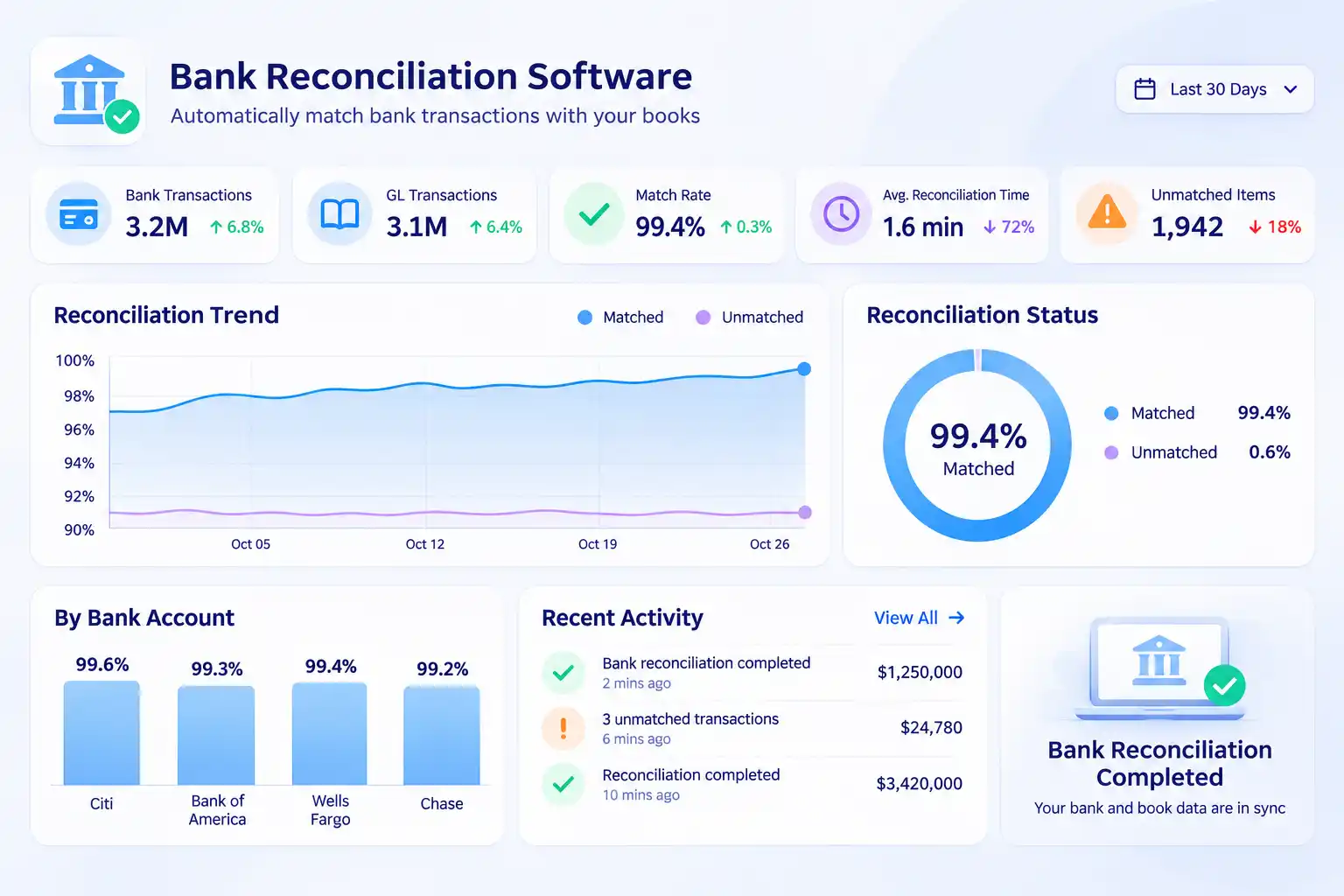
Manual bank reconciliation often turns into a time-consuming puzzle—chasing statements, matching transactions across spreadsheets, and tracking down errors. Kosh AI simplifies the entire process by connecting all your data sources into one unified workflow, giving you a faster, more accurate close.
Connect your bank accounts, ERPs, payment gateways, and accounting systems in real time to eliminate data silos.
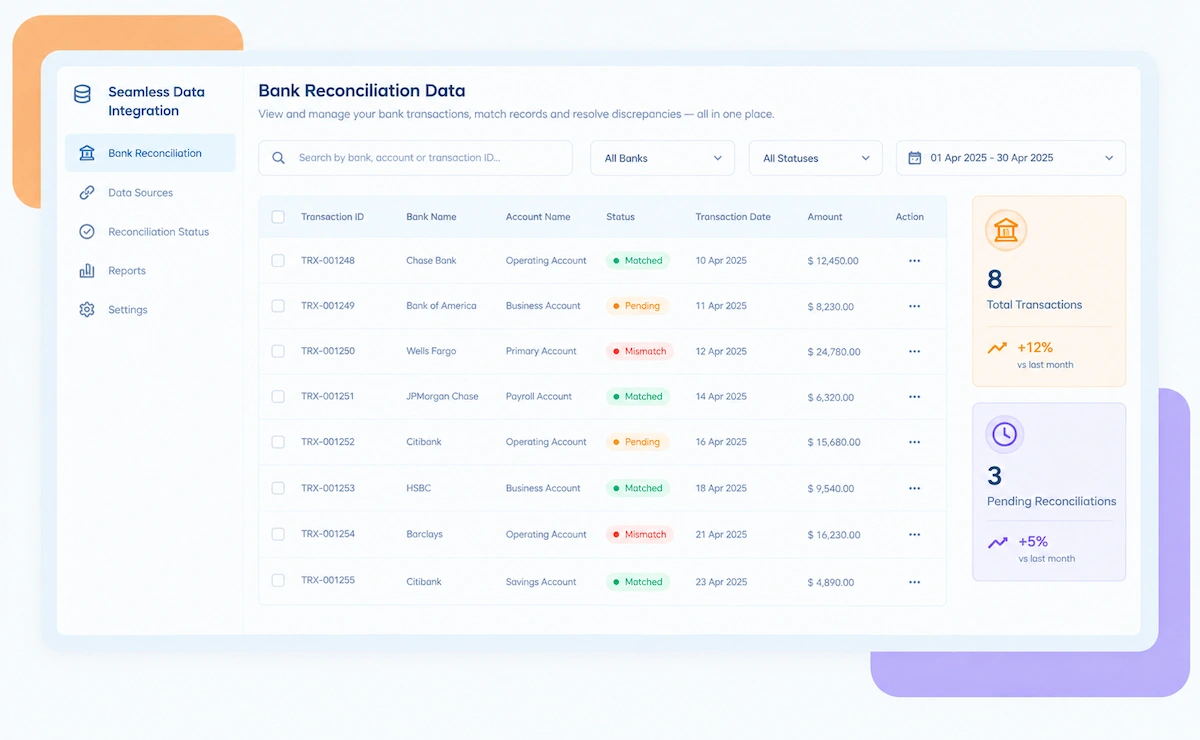
Automatically match thousands of transactions across multiple sources using AI-powered rules that adapt to your data.
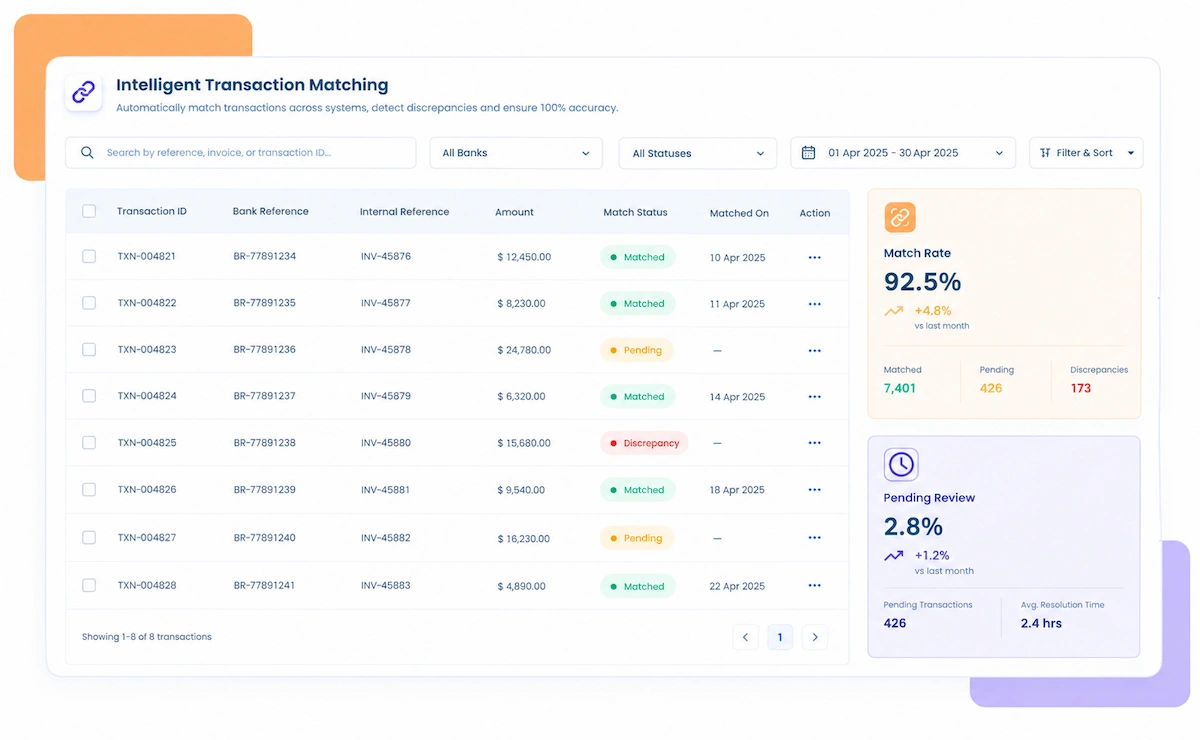
Instantly match bank transactions with general ledger entries to catch discrepancies early and keep your accounts balanced.
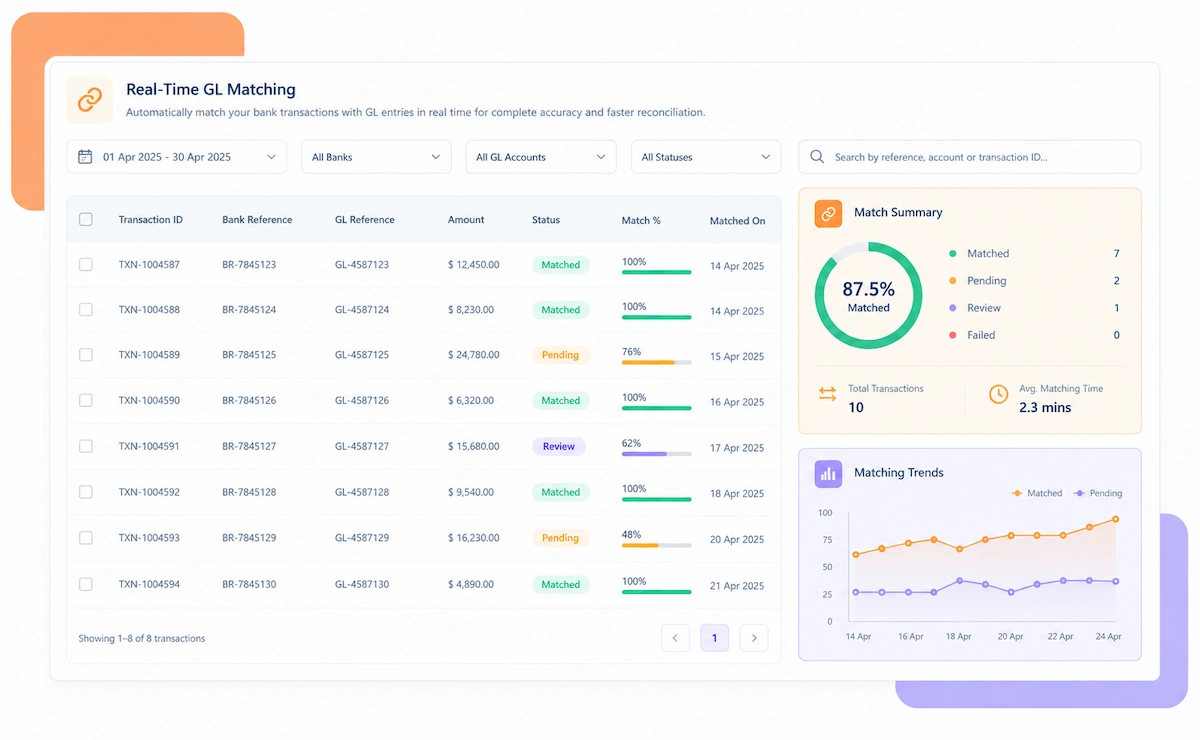
Automatically flag unmatched, duplicate, or failed transactions with clear insights to resolve issues quickly.
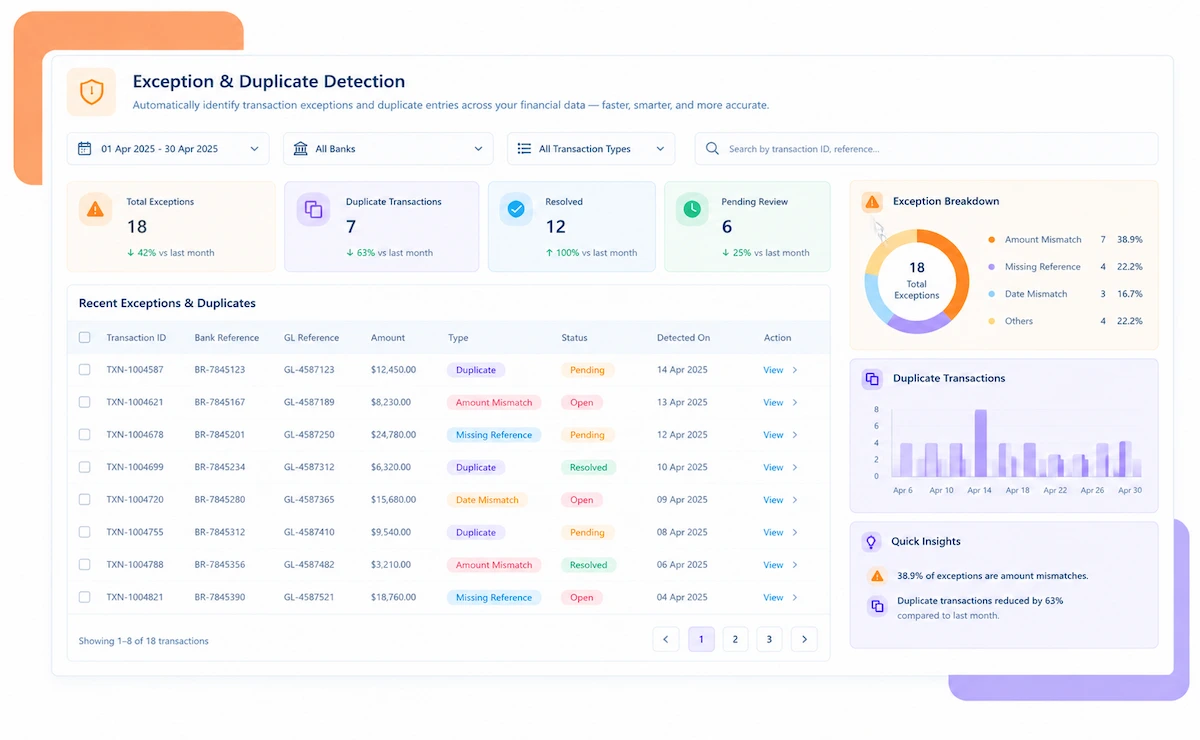
Create and post journal entries for adjustments with rule-based approvals and full audit trails.
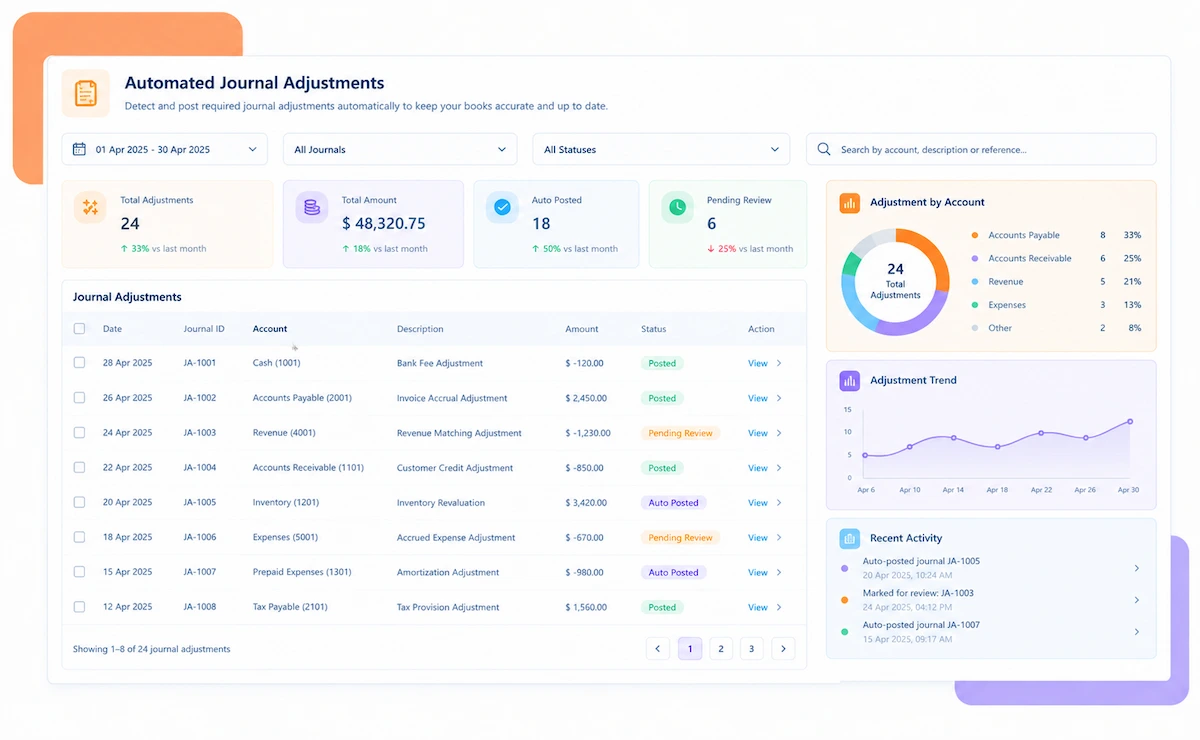
From integrating your data sources to resolving mismatches and generating audit-ready reports, Kosh AI streamlines every step of the reconciliation lifecycle.
Kosh AI's bank reconciliation software is built to adapt to your unique environment—whether you're managing complex multi-ERP operations, specific industry needs, or scaling a growing business.
Automate high-volume Open Item Clearing and streamline intercompany reconciliations with real-time data synchronization for SAP environments.
Deploy pre-built integrations to replace manual spreadsheets, automate inventory substantiation, and maintain continuous compliance for NetSuite.
Streamline global operations by automating recurring journal postings, managing complex accruals, and centralizing multi-entity consolidation for Oracle Cloud.
Leverage native connectors for Sage to automate bank reconciliations, synchronize revenue streams, and accelerate financial reporting cycles.
Eliminate manual multi-ERP reconciliations and automate high-volume journal entries for shared cost allocations across global plants.
Streamline subscription revenue recognition and accelerate multi-currency consolidation for recurring revenue models.
Automate matching of daily POS transactions with bank deposits and gain real-time visibility across storefronts.
Bridge the gap between clinical billing systems and general ledgers while ensuring audit-ready compliance for facility-level allowances.
Kosh AI centralizes multi-entity reconciliation for enterprise teams, providing real-time visibility, anomaly detection, and built-in compliance at scale.
Kosh AI provides AI-powered bank reconciliation for mid-market teams, accelerating close cycles and handling high transaction volumes effortlessly.
Kosh AI's AI-powered reconciliation delivers real-time accuracy and transparency. The result: faster closes, stronger fraud prevention, and complete confidence in your financial data.
AI automates transaction matching and continuously checks for errors—reducing manual data entry mistakes and ensuring consistency across all your financial data.
Automate tedious matching tasks so your team can focus on higher-value work. Reduce burnout and free up valuable time during the close cycle.
Approval workflows, audit trails, and user permissions help identify suspicious transactions early, preventing financial losses and strengthening accountability.
Real-time updates show exactly how much cash you have available. Make smarter decisions about spending, forecasting, and working capital management.
Dashboards and reports provide clear financial insights. Make better budgeting and strategic planning decisions based on accurate, real-time data.
Built-in controls and tracking ensure financial records meet legal standards, reducing audit risk and making compliance documentation easier.
Kosh AI connects directly with all major banks and ERPs, enabling real-time data sync for faster, more accurate reconciliations—no manual uploads, no delays.













Kosh AI's AI automation transforms reconciliation into a self-driving process that adapts and scales with your business.

AI matches transactions based on historical patterns, amounts, timing, and supporting documentation—not just static rules.

Agents flag, categorize, and recommend actions for unmatched transactions before they delay your close.

The system gets smarter with every reconciliation, learning from approvals, adjustments, and exceptions.

Handle any scenario—from simple 1:1 matches to complex bulk reconciliations across multiple data sources.
Bank reconciliation software is a tool that automates the process of matching bank transactions with your accounting records. It connects directly to your bank accounts, ERPs, and payment systems to pull transaction data in real time, identifying discrepancies as they occur. The most advanced solutions—like Kosh AI—go beyond simple matching by using AI to detect exceptions, prevent duplicates, and automate journal adjustments. This gives finance teams continuous visibility into cash positions and accelerates the financial close.
Outdated manual processes are holding your finance team back. Here's how Kosh AI's automated reconciliation takes efficiency and accuracy to the next level.
| Feature | Automated Bank Reconciliation | Manual Bank Reconciliation |
|---|---|---|
| Reconciliation Speed | Automates matching for faster closes. | Time-consuming manual matching. |
| Error Reduction | AI-driven automation minimizes errors. | Prone to human error. |
| Scalability | Handles high transaction volumes seamlessly. | Limited by team capacity. |
| Data Integration | Connects directly to banks and ERPs. | Requires manual data entry and uploads. |
| Cost Efficiency | Reduces operational costs through automation. | Resource-heavy with high labor costs. |
| Visibility | Real-time dashboards for financial control. | Lacks centralized, real-time insights. |
Automate reconciliations, resolve exceptions faster, and deliver audit-ready financials with Kosh AI's powerful reconciliation automation engine.
Schedule a Quick Demo
Yes, bank reconciliation can be fully automated. Solutions like Kosh AI use AI-powered matching to connect bank statements with G/L accounts, flag discrepancies, and reduce manual effort. With real-time updates, configurable rules, and intelligent exception management, finance teams can handle higher volumes while maintaining accuracy and compliance—leading to faster closes and stronger financial controls.
Look for automated transaction matching, multi-bank and ERP integration, real-time discrepancy alerts, customizable matching rules, and robust reporting. Advanced software like Kosh AI also provides exception management, audit trails, and flexible dashboards to ensure end-to-end reconciliation visibility and accuracy.
Yes, most advanced reconciliation software includes pre-built connectors for major ERPs like SAP, Oracle, NetSuite, and Sage. Kosh AI provides native integrations that sync data in real time, eliminating manual uploads and ensuring your reconciliation process is always based on the latest financial data.
Kosh AI reconciles bank transactions, cash G/L entries, journal postings, and other ledger items. It also handles multi-currency accounts, intercompany transactions, and bank-to-book variances—automating complex reconciliations while providing real-time visibility and accurate financial tracking.
Bank reconciliation software improves accuracy, speeds up the financial close, reduces manual effort, and strengthens compliance. It streamlines operations, minimizes errors, handles high transaction volumes, and provides real-time reporting—enabling faster decisions, greater efficiency, cost savings, and audit readiness.
Absolutely. If you manage multiple accounts, transaction volumes grow quickly, and manual tracking becomes a challenge. Kosh AI centralizes feeds from every account, standardizes matching rules, and keeps everything in sync, so your team doesn't waste time hunting down missing or duplicated entries.
Controllers and auditors get a clear, auditable trail of every match, adjustment, and exception because Kosh AI logs each action automatically. This provides a reliable audit trail, quicker access to supporting documentation, and fewer back-and-forth exchanges during reviews.
Kosh AI is built for both mid-market and enterprise finance teams. It offers pre-built ERP connectors, goes live in weeks, and delivers ROI within 3–6 months. For enterprises, it automates reconciliation across 100+ bank accounts, multiple entities, and ERPs with full compliance and a 90% auto-match rate, scaling as your business grows.
Kosh AI goes live in weeks using pre-built ERP connectors and no-code configuration tools that convert Excel reconciliation workflows into AI agents without IT involvement. For SAP and Oracle environments, certified ERP connectors and pre-built templates accelerate enterprise deployments, enabling implementation within 3–6 months.
Choose software based on your transaction volume, ERP compatibility, automation capabilities, scalability, and reporting needs. Look for AI-powered matching, exception management, audit trails, multi-bank support, and strong security. Prioritize solutions like Kosh AI that integrate seamlessly with your existing systems and can scale as your business grows.
Book a demo and watch Kosh AI reconcile your own bank statement and ledger data.
Book a DemoMost reconciliation tools look the same in a demo. These are the capabilities that actually separate the ones that hold up at scale.
Bank reconciliation gets harder in specific, predictable ways. Here's where automation makes the biggest difference.
Reconciling 5 accounts by hand is tedious. Reconciling 50 across subsidiaries without a shared system is where errors start hiding.
A deposit that lands a day late, or a few cents short from FX rounding, needs reconciliation logic that understands currency, not just amount.
A transfer between two of your own entities still has to clear on both sides. Missing that match is a common source of unexplained month-end variance.
Past a few hundred transactions a day, manual matching stops being a task someone can finish before the next day's statement arrives.
A few habits make the difference between a reconciliation process that scales and one that falls apart the moment volume grows.