Payment Reconciliation Software for Faster, More Accurate Payment Matching

Automate Payment Matching, Cash Application, and Exception Handling Across Every Payment Channel

  • Works With Bank, Card, ACH, Wire & Check Payments
  • Applies Cash to Invoices Within Minutes
  • Spots Duplicate and Short Payments on Its Own
  • Keeps a Clear Record of Every Payment
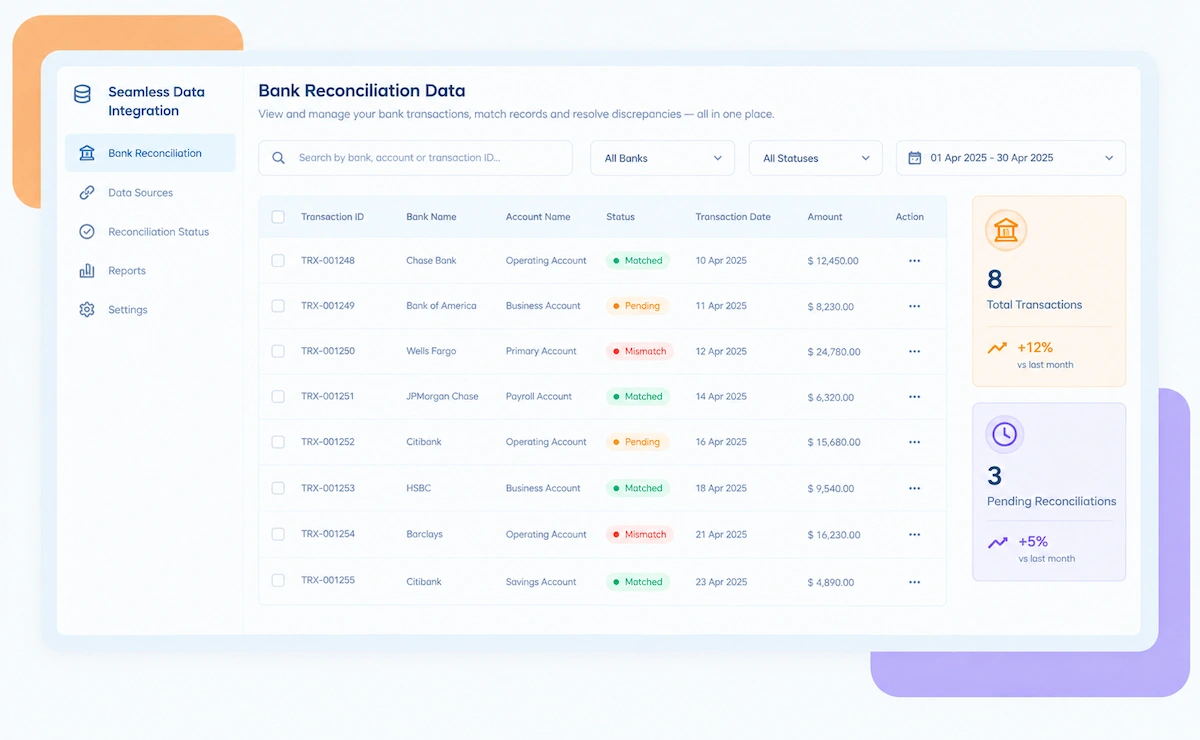
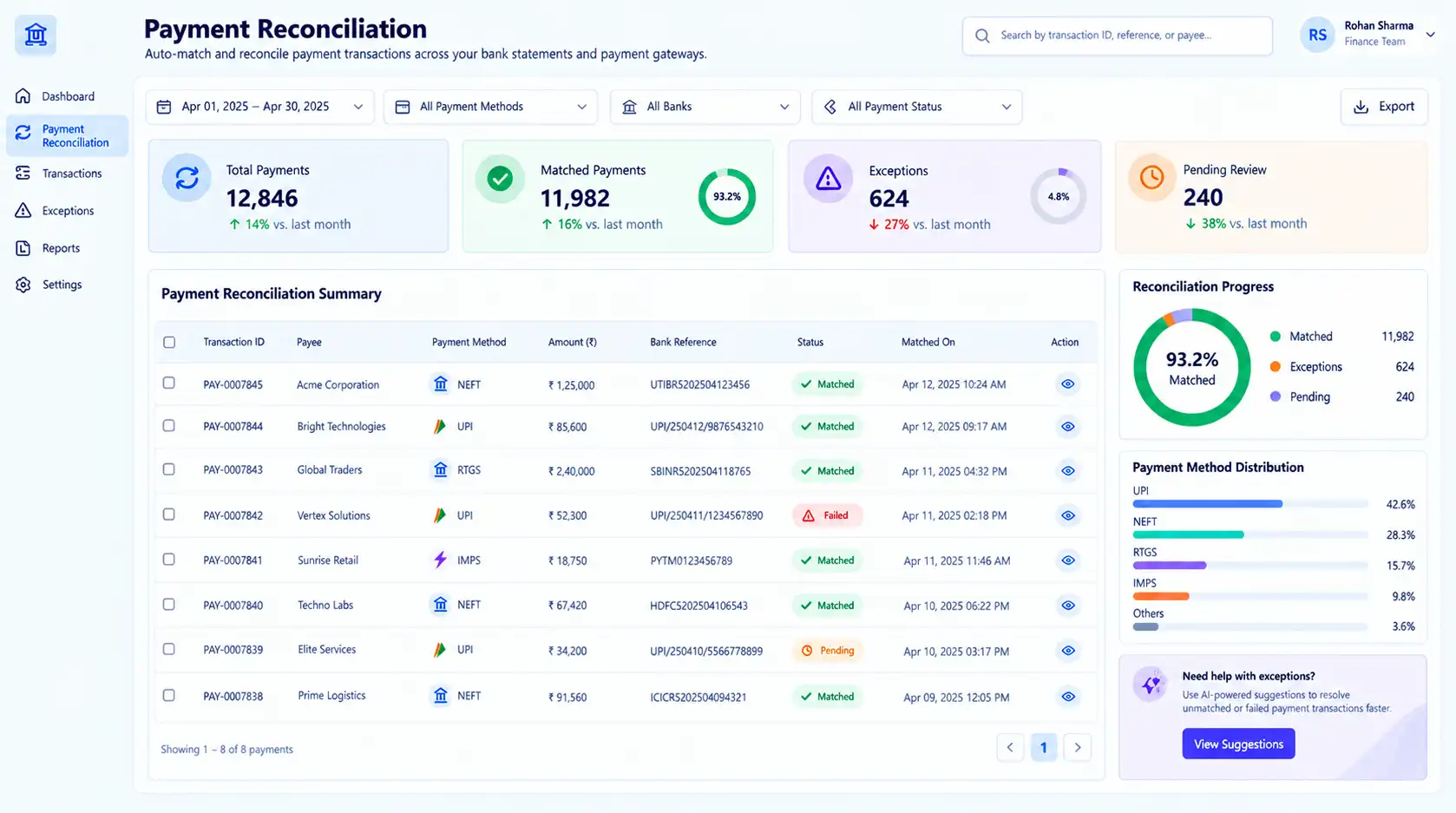
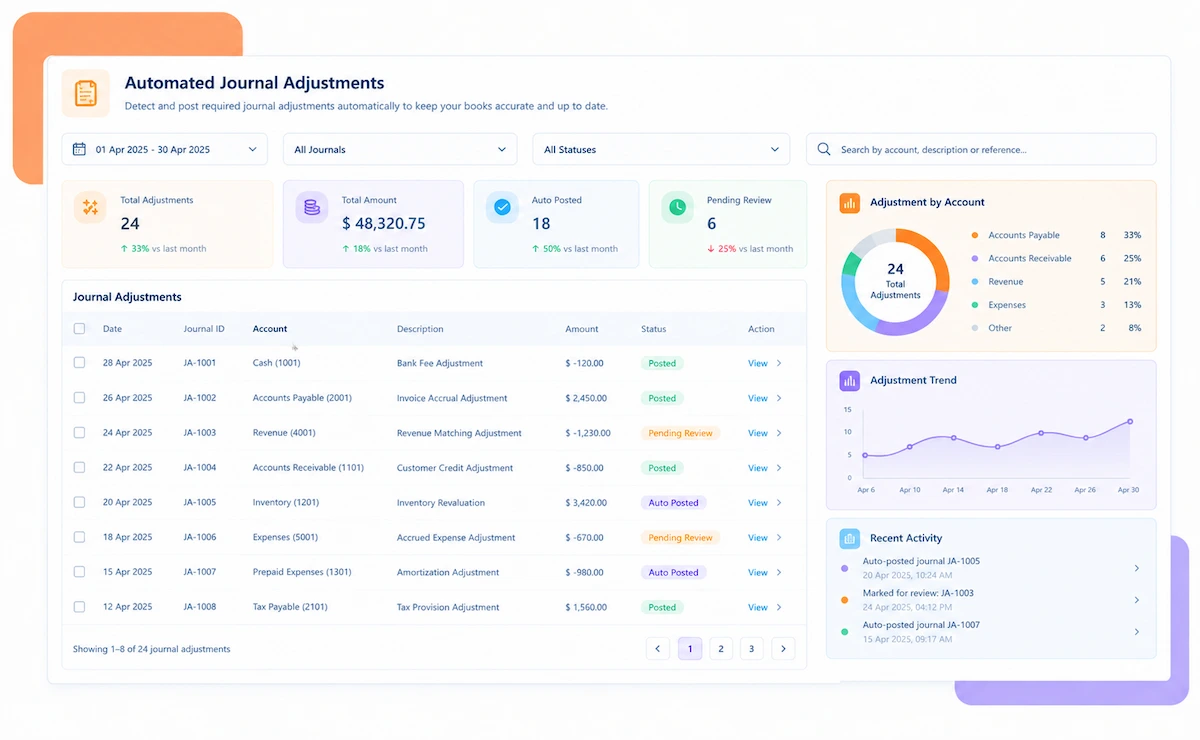
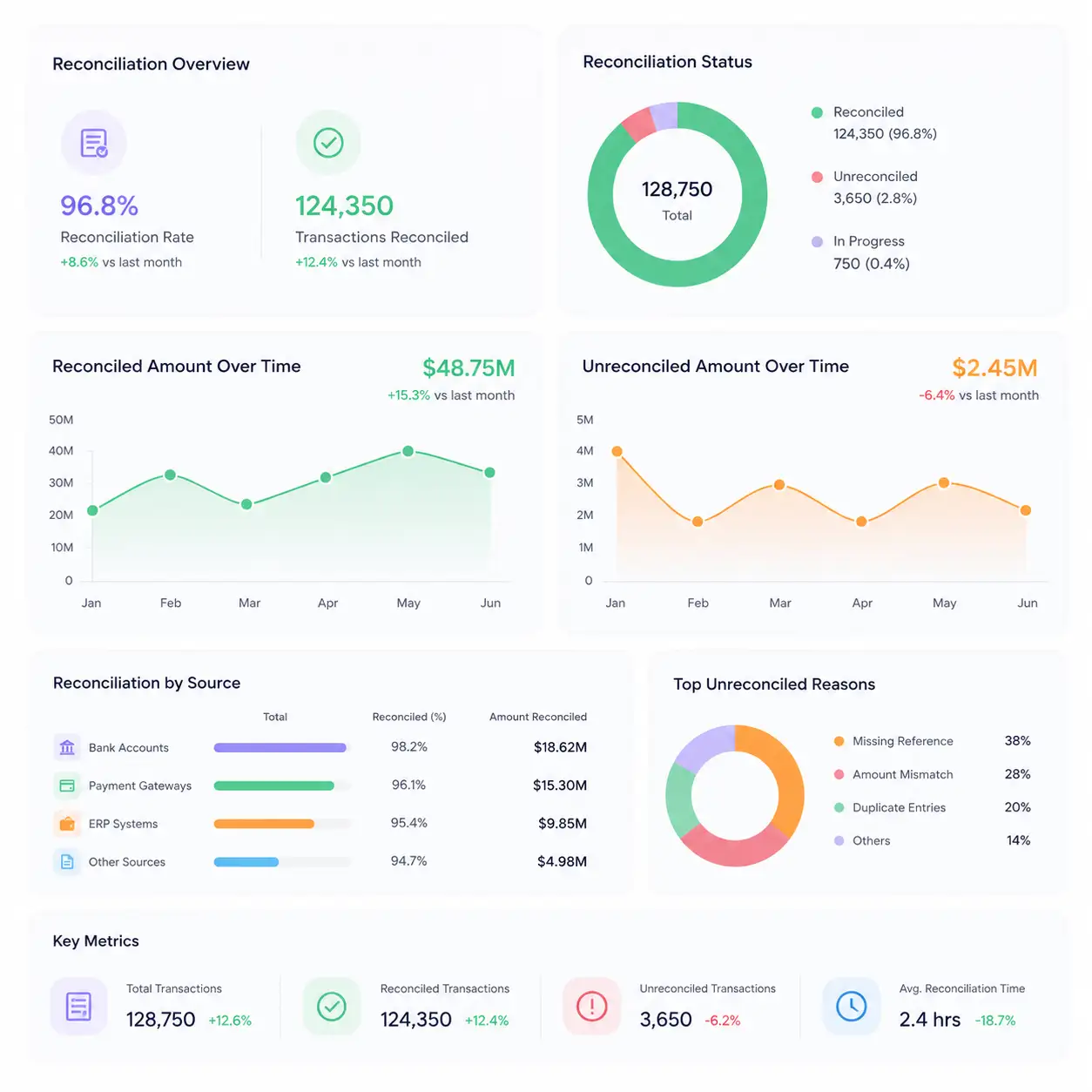
Kosh AI Payment Reconciliation Software Dashboard

NEW 2026 Payment Reconciliation Tool

Is Your Payment Reconciliation Process Ready for 2026?

See where payments are getting stuck, missed, or left unmatched—and find out how Kosh AI clears that backlog without adding more work for your team.

How Payment Reconciliation Software Simplifies Payment Matching

Most finance teams still track payments by hand, moving between bank portals, payment files, and spreadsheets to see what's been paid and what hasn't. Kosh AI brings all of that into one place. It reads every payment coming in or going out, lines it up against the right invoice, and tells you what still needs your attention. The same real-time matching also powers PayU reconciliation software, for teams handling reconciling PayU settlement files to bank credits.

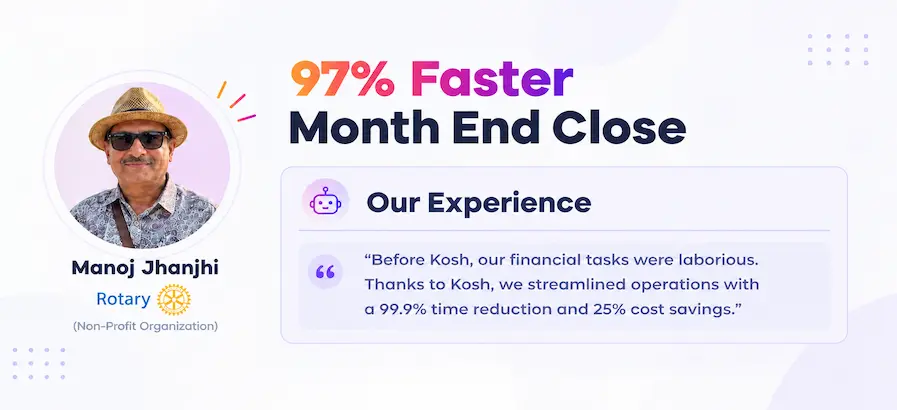
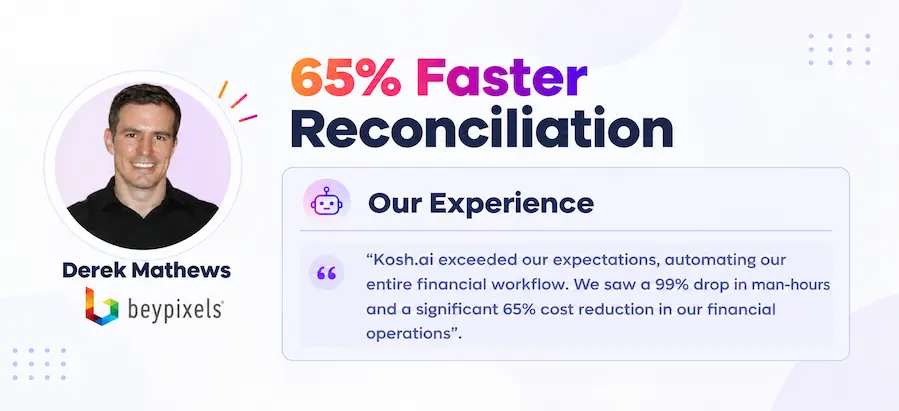
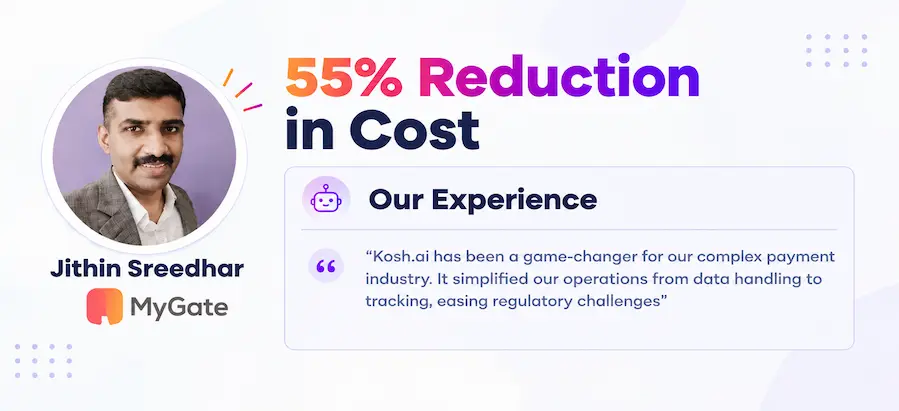
Proven Results From Automated Payment Reconciliation

Konica Minolta Business Solutions, U.S.A., Inc.
Ring Container
Conference Direct

How Payment Reconciliation Software Works

You don't need to change how your business takes payments. Kosh AI sits on top of what you already use and does the matching, checking, and reporting for you.

  • Everything in One Feed: Kosh AI pulls payment data straight from your banks and processors.
  • Nothing to Upload: There's no need to download files or paste numbers into a spreadsheet.
  • One List, Not Five: Every payment, from every source, shows up in the same place.
  • Ready Right Away: Payments are cleaned up and ready to match as soon as they arrive.
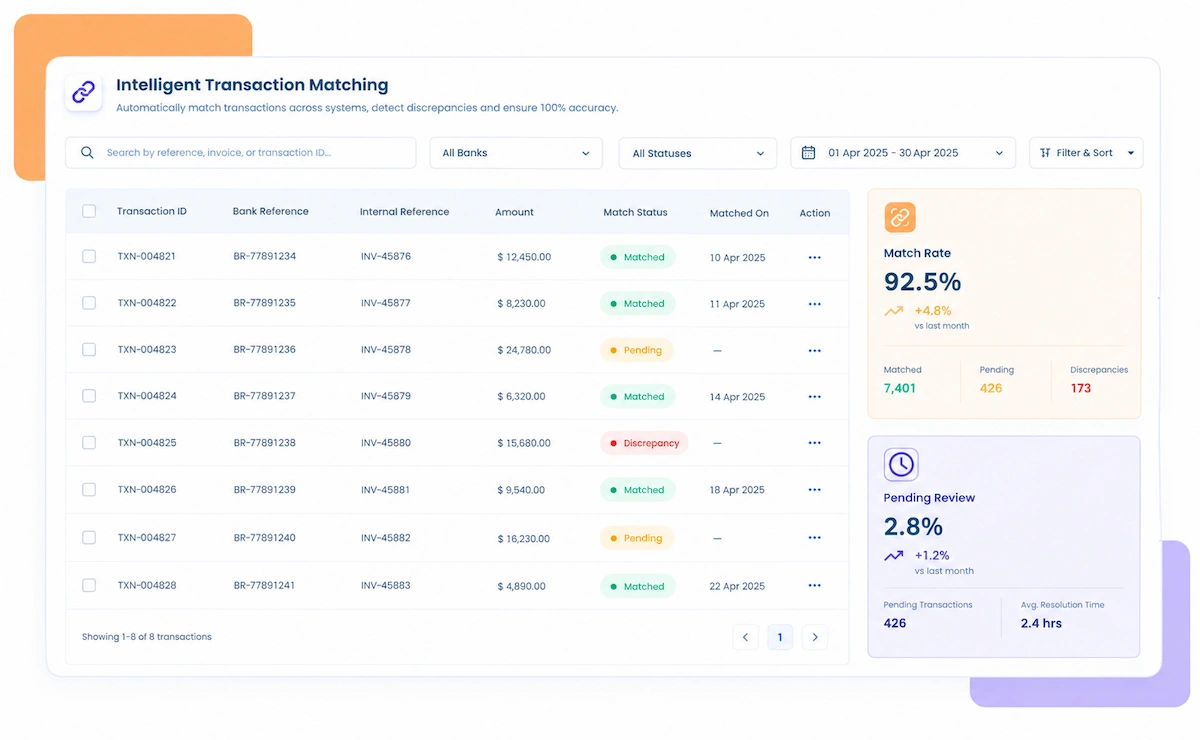
  • Done Automatically: Kosh AI lines up each payment with the invoice or order it belongs to.
  • You Set the Rules: Decide how payments should be matched for your business, and Kosh AI follows it.
  • Still Catches the Odd Ones: Short payments, currency gaps, and late remittances still get matched correctly.
  • Gets Sharper Over Time: Matching accuracy improves the longer Kosh AI works with your data.
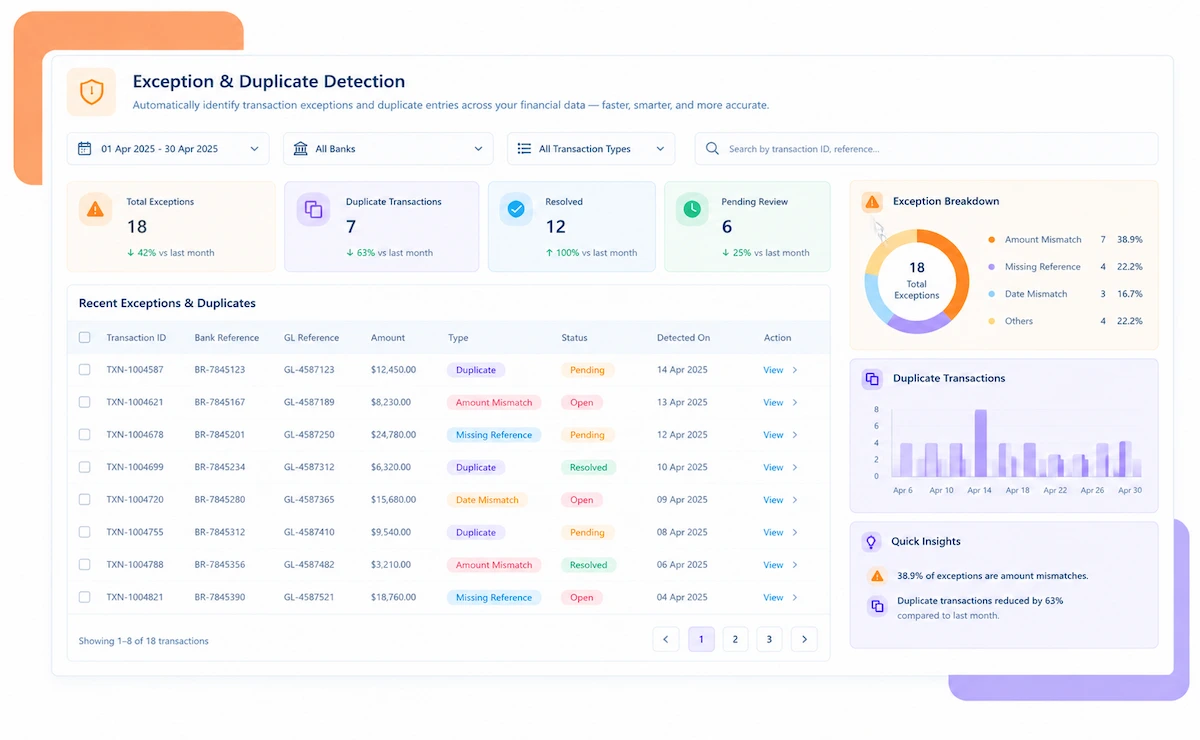
  • You Hear About It Fast: Unmatched payments are flagged right away, not days later.
  • Kosh AI Suggests a Fix: Each flagged item comes with a suggested next step.
  • Clear Reasons, Not Guesswork: See whether it's a timing gap, a duplicate, or a short payment.
  • Closed Out Quickly: Deal with issues while they're fresh, before they pile up.
  • Built-In Sign-Off: Matched payments move through your approval steps automatically.
  • Reports That Make Sense: Pull a report built for whoever's asking, whether that's your team or an auditor.
  • A Paper Trail for Everything: Every payment keeps a timestamped record you can look back on.
  • Nothing Falls Through: Always know what's been applied, what's waiting, and what's in question.

Payment Reconciliation Built for Every Payment Channel and Business

Every business takes payments differently. Kosh AI fits the channels you use, the industry you work in, and the size of the team doing the matching. Many teams pair this with PayPal reconciliation software, which focuses on reconciling PayPal settlement data against transactions.

Bank Transfers & Wires

Wires and bank credits get matched to open invoices, even when the paperwork for them shows up later.

Card Payments

Card payments are checked against what the processor actually paid out, so fee differences don't go unnoticed.

Checks & Lockbox

Lockbox files and scanned checks get read and applied without anyone typing numbers in by hand.

ACH & Direct Debit

Recurring ACH payments are matched automatically, and returns get flagged the day they happen.

Manufacturing

Large payments from distributors covering several invoices at once get split and matched correctly, without anyone sitting down to work it out.

Software & SaaS

Subscription payments across different billing cycles and payment methods are matched without manual lookups.

Retail & Distribution

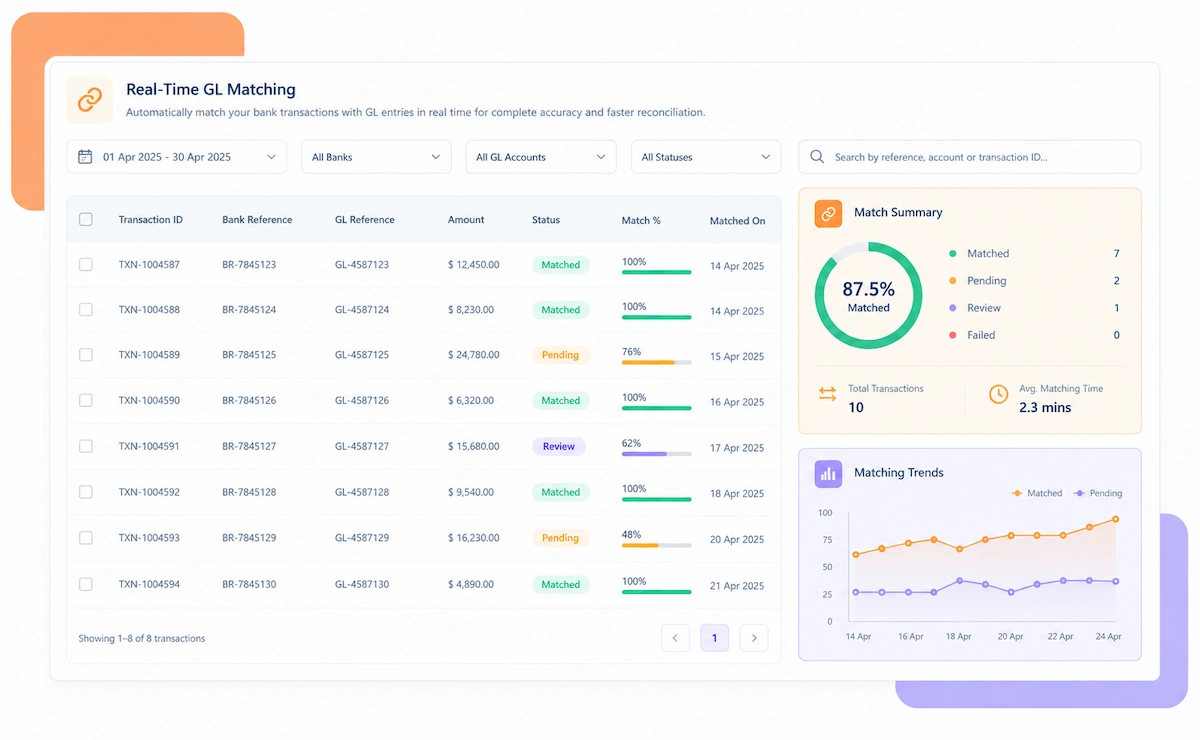
Daily card settlements and wholesale payments are checked against deposits and the GL every day, not just at month-end.

Healthcare

Payments from insurers and patients are matched to claims and invoices, with records kept clean enough to stand up to an audit.

Enterprise Payment Reconciliation at Scale

Kosh AI centralizes payment reconciliation for enterprise finance teams, providing real-time visibility, anomaly detection, and built-in compliance at scale.

  • Manage payments across 100+ bank accounts, entities, and currencies.
  • Detect fraud and misapplied-cash signals with 15+ ML models.
  • Maintain 100% SOX compliance with fully documented, auditor-ready trails.
  • Payment Reconciliation for Growing Finance Teams

    Kosh AI provides AI-powered payment reconciliation for mid-market teams, accelerating cash application and handling rising transaction volumes effortlessly.

  • Eliminate spreadsheet-driven reconciliation with AI that matches payments to invoices automatically.
  • Scale without adding headcount as transaction volume and payment methods grow.
  • Go live in weeks with pre-built connectors for banks, processors, and ERPs.
  • The Business Impact of Automated Payment Reconciliation

    Matching payments by hand eats up hours your team could spend elsewhere, and it's easy to miss something when you're moving fast. Kosh AI takes that work off your plate and gives you a clearer, faster close.

    1

    Reduce Payment Matching Errors

    Payments get matched the same way every time, so small slip-ups from copying numbers by hand just don't happen anymore.

    2

    Accelerate Cash Application

    Payments are applied as they arrive instead of sitting in a queue until the next batch run.

    3

    Reduce Manual Reconciliation Work

    The repetitive matching work is handled for you, leaving your team time for the parts of the job that actually need a person.

    4

    Identify Payment Exceptions Before They Escalate
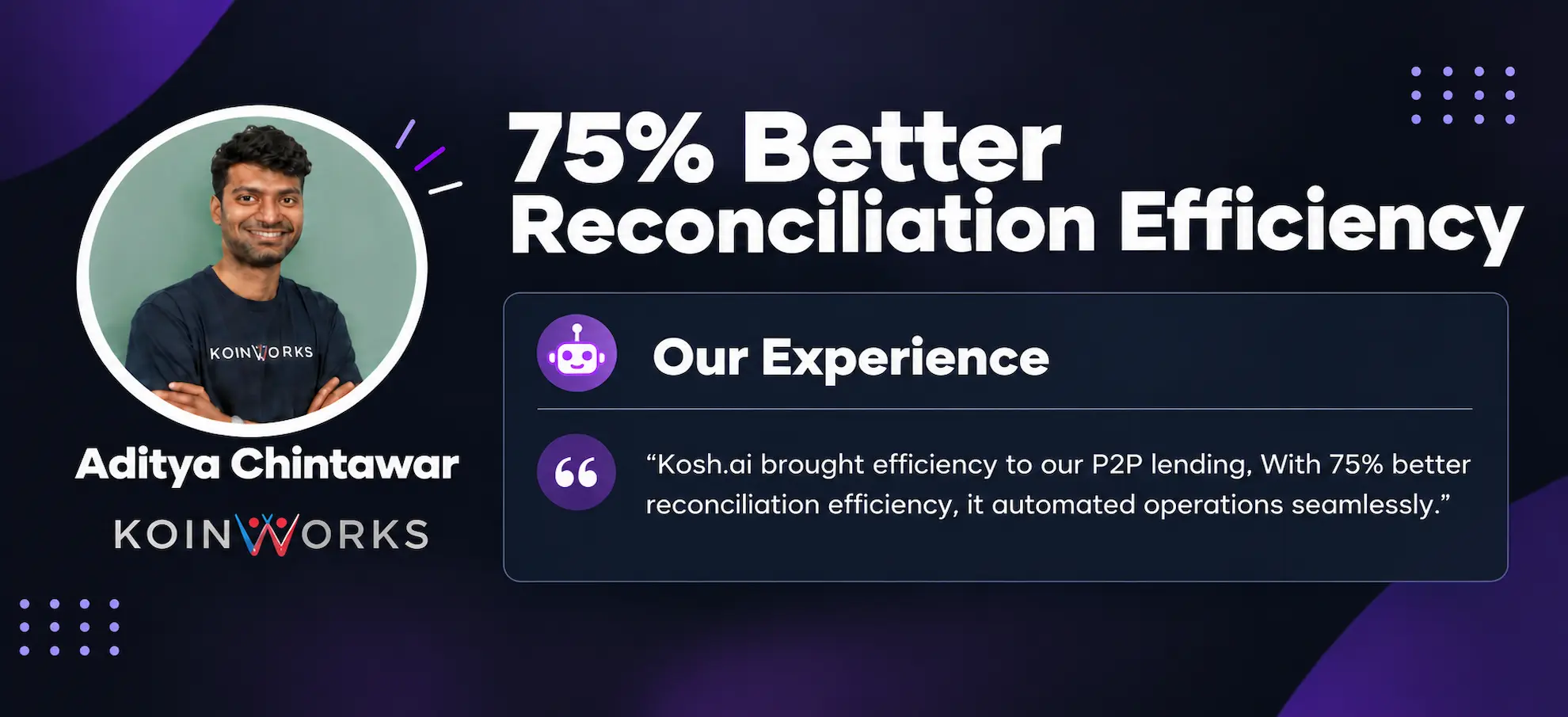
    Odd or duplicate payments get flagged the moment they show up, not weeks later when they're harder to fix.

    5

    Get Real-Time Visibility Into Payment Status

    You can see what's been applied, what's pending, and what's in question, all in one view, whenever you need it.

    6

    Maintain a Complete Audit Trail

    Every match and every adjustment is logged, so when an audit comes around, the answers are already there.

    See the Impact of Automated Payment Reconciliation

    50%Faster Cash Application
    70%Less Cash Sitting Unapplied
    90%Of Payments Matched Without Help

    Integrate Seamlessly with Your Existing ERP Systems

    Kosh AI connects directly with all major banks and ERPs, enabling real-time data sync for faster, more accurate reconciliations—no manual uploads, no delays.

    Why AI-Powered Payment Reconciliation Outperforms Rule-Based Methods

    Spreadsheets and rigid rules break the moment something doesn't fit the pattern. Kosh AI is built to handle the exceptions, not just the easy cases.

    Smart matching icon

    Match Payments Using Rules, Patterns, and Context

    Kosh AI looks at past payments, amounts, and timing to make the right call, not just a single rigid rule.

    Exception handling icon

    Resolve Exceptions Instead of Letting Them Pile Up

    Unmatched payments are flagged with a likely reason and a next step, so they don't just sit in a queue.

    Learning system icon

    Improve Matching Accuracy With Every Correction

    Every approval and every correction your team makes helps Kosh AI match more accurately next time.

    Flexible matching icon

    Handle Complex and Multi-Invoice Payments Automatically

    From a simple one-to-one match to a single payment covering ten invoices, Kosh AI works it out.

    Payment Reconciliation Best Practices for Finance Teams

    Turning on payment reconciliation software isn't the whole job. These habits are what make it actually reliable, not just automated.

    Clear rules icon

    Define Clear Payment Matching Rules

    Decide upfront how a payment should be matched to an invoice—by amount, customer ID, invoice number, and date. The clearer these rules are, the fewer mismatches you'll have to sort out by hand. Revisit them with your finance team as the business changes.

    Learning system icon

    Use Historical Corrections to Improve Matching

    Every time your team fixes a match by hand, that correction should feed back into the system. Over time, it gets sharper at handling the same kind of case automatically, instead of needing the same fix twice.

    Full integration icon

    Integrate Banks, Payment Gateways, and ERPs

    Reconciliation software is only as good as the data it can see. Make sure it's reading from your ERP, your banks, and your other financial systems directly, not from exports someone has to upload by hand.

    Custom dashboard icon

    Build Dashboards Around Payment Exceptions

    A generic report gets ignored. Set up views around what your team actually cares about—unmatched payments, aging exceptions, cycle times—so the software earns a place in the daily routine.

    Approval workflow icon

    Establish Clear Review and Approval Workflows

    Automation shouldn't mean nobody's watching. Keep clear roles for who reviews and who approves, and have high-value or unusual payments flagged for a second look before anything posts.

    Root cause icon

    Identify and Fix the Root Cause of Discrepancies

    When a payment doesn't match, don't just note it and move on. Look at why—bad data entry, a customer error, a system gap—and fix the root cause so the same discrepancy stops showing up every month.

    Scheduled review icon

    Review and Update Matching Rules Regularly

    Payment volumes, customers, and payment methods all change over time. A quarterly check of your matching rules keeps the software working as well as it did on day one, not just at launch.

    Performance metrics icon

    Track Payment Reconciliation Performance

    Track cycle times, error rates, and how many exceptions are still open. Those numbers tell you whether the system is actually improving your close, not just running in the background.

    What Is Payment Reconciliation Software and How Does It Work?

    Payment reconciliation software checks every payment a business sends or receives—by bank transfer, card, ACH, wire, or check—against the invoice, order, or ledger entry it's meant to settle. It pulls payment data straight from your banks and payment providers, so you see what's been matched and what hasn't, without digging through statements yourself. Kosh AI goes a step further by applying payments on its own, catching duplicates and short payments as they happen, and preparing adjustment entries without anyone having to chase them down. The result is a finance team that always knows where its cash stands.

    Running this alongside WePay reconciliation software is common for finance teams that also handle matching WePay payouts to platform transactions.

    Payment reconciliation concept illustration

    How Payment Reconciliation Software Replaces Manual Matching

    Matching payments by hand means pulling up a bank statement, your ERP, and a spreadsheet, and checking each entry against an invoice or bill yourself. It works, but it's slow, and the more payments you process, the more room there is for a typo or a missed line to throw off your books. As volume grows, keeping up with deadlines gets harder, not easier, and the risk of an error slipping through grows right along with it.

    Payment reconciliation software takes that matching off your plate. It applies your own rules, plus patterns learned from past payments, to line things up on its own and flag anything that doesn't fit cleanly. Instead of digging through records to find a problem, your team sees it the moment it happens and can go straight to fixing it—with every payment, in either direction, checked the same consistent way.

    Manual vs. Automated Payment Reconciliation: What's the Difference?

    Here's what actually changes when payment reconciliation moves off spreadsheets and onto software built for it. Teams that need matching Stripe payouts to orders and fees usually turn to Stripe reconciliation software alongside this.

    What You're Comparing Automated Payment Reconciliation Doing It Manually
    How Fast Cash Gets AppliedPayments are applied the same day they arrive.Payments wait for someone to run the next batch.
    Room for ErrorMatching is consistent, so copy-paste mistakes go away.Easy to miscount or mistype when working across spreadsheets.
    Handling More VolumeKeeps up as payment volume grows, no extra hires needed.More payments usually means more people needed to keep up.
    Getting the Data InPulls directly from your banks and processors.Someone has to export files and enter the numbers.
    Cost Over TimeLess manual work means lower ongoing cost.Relies on hours of manual effort, which adds up.
    Seeing Where Things StandA live view of what's matched, pending, or stuck.You usually find out only once someone checks.

    How to Choose the Best Payment Reconciliation Software

    Eleven factors actually matter when you're comparing options. Here's how to think about each one. Looking for something similar for reconciling card network settlement against merchant records? Visa/Mastercard reconciliation software is built for exactly that.

    • Seamless Data Integration: It should connect directly to your ERPs, banks, and payment gateways, not depend on manual exports.
    • Automated Matching: Look for both rule-based and AI-assisted matching, so routine payments clear on their own and the odd ones still get caught.
    • Multi-Channel Support: ACH, wires, cards, and checks should all be handled the same way, not as separate processes bolted together.
    • Scalability: It should keep up as transaction volume and the number of entities you manage grows, not just at today's size.
    • Exception Management: Unmatched payments should be flagged automatically, with a clear path to resolve them instead of a pile to sort through.
    • Real-Time Visibility: Dashboards should show where reconciliation actually stands right now, not a snapshot from yesterday.
    • Audit-Ready Records: Approval trails and reporting should hold up against SOX, GAAP, or IFRS requirements, not just pass an internal check.
    • Data Security: Encryption and role-based access should be standard, not something you have to ask for separately.
    • Ease of Use: If the interface takes weeks to learn, your team won't actually adopt it—check how intuitive it is before you commit.
    • Vendor Reliability: Ask about implementation timelines, how responsive support actually is, and whether they've done this for businesses like yours.
    • Cost and ROI: Weigh the subscription cost against what you'll actually save in fewer errors and faster closes, not just the sticker price.

    Calculate the ROI of Payment Reconciliation Automation

    Set up Kosh AI, start matching payments automatically, and get audit-ready records without waiting months to see the payoff.

    Schedule a Quick Demo
    Loreal Touchless

    Payment Reconciliation Software FAQs

    What is payment reconciliation software?

    Payment reconciliation software checks every payment a business sends or receives against the invoice, order, or ledger entry it's meant to settle, instead of someone doing that matching by hand in a spreadsheet. Kosh AI, for example, does this automatically—matching payments, flagging anything that doesn't line up, and preparing adjustments for review.

    How does payment reconciliation software work?

    It reads payment data directly from your banks, card processors, and ERP, then compares each payment against your open invoices or bills using a set of matching rules. Clean matches apply on their own, and anything that doesn't fit—a short payment, a duplicate, a missing remittance—gets flagged for someone to look at.

    Why is payment reconciliation software important for a business?

    As the number of payments a business sends and receives grows, matching them by hand gets slower and more error-prone. Payment reconciliation software keeps that process accurate and current regardless of volume, which matters for closing the books on time, catching fraud early, and knowing your actual cash position on any given day.

    Do small businesses need payment reconciliation software, or is it just for large companies?

    It matters most once you're handling enough payments that manual matching starts eating real hours each week, which can happen well before a business counts as "large." Kosh AI is used by both mid-market and enterprise finance teams, with setups that scale from a handful of bank accounts to over a hundred.

    How is payment reconciliation software different from bank reconciliation software?

    Bank reconciliation checks your bank statement against your books at the account level. Payment reconciliation goes a layer deeper—it matches each individual payment to the specific invoice or bill it's settling, across every channel a business uses, not just the bank account. Kosh AI covers both the account-level and the payment-level check.

    Can payment reconciliation software connect to accounting software like QuickBooks, NetSuite, or Xero?

    Yes, most payment reconciliation software is built to connect directly to common ERPs and accounting platforms. Kosh AI, for instance, has direct connections to SAP, Oracle, NetSuite, Sage, QuickBooks, and Xero, along with banks and payment processors, so data flows in without manual exports.

    Can payment reconciliation software handle both customer payments and vendor payments?

    Not always—many tools only match incoming customer payments and leave vendor payments to a separate process. Kosh AI treats both as part of the same job, matching customer receipts to invoices and vendor payments to the bills they settle, so neither side of the ledger gets less attention than the other.

    How secure is payment reconciliation software?

    Since it handles sensitive bank and payment data, look for encryption in transit and at rest, role-based access so people only see what their role needs, and an audit log that records who did what. These are standard in most established payment reconciliation software rather than optional extras.

    What happens when a payment doesn't match or comes in short?

    It gets flagged right away, usually with a likely reason attached based on what's happened with similar payments before. From there, it's routed for review, an adjustment, or a write-off, so it doesn't sit unresolved until someone happens to notice it during the close.

    How long does it take to set up payment reconciliation software?

    Most businesses can get basic payment reconciliation software running in a few weeks, since it connects to systems you already use rather than requiring a rebuild. Kosh AI follows a similar timeline—live within weeks for most setups, with more complex, multi-entity rollouts typically taking 3 to 6 months.

    How do I choose the right payment reconciliation software for my business?

    Start with your payment volume, how many channels you use, and how much of your reconciliation is still manual today. From there, compare options on matching accuracy, ERP and bank integrations, audit trails, and security. Kosh AI is one option built around exactly those criteria, but the same checklist applies whichever software you end up comparing.

    If your stack also needs this, PaySimple reconciliation software runs on the same matching engine for reconciling PaySimple settlement data to invoices.

    Ready to Automate Payment Reconciliation?

    Book a demo and watch Kosh AI reconcile your own payment and bank data.

    Book a Demo