Commission Reconciliation Software That Keeps Every Payout Explainable

Match Calculated Commissions Against Approvals, Payroll, and Confirmed Payments Automatically

  • Source Data Matched Against Commission Plan Rules
  • Approved Amounts Reconciled Against the Payroll Handoff
  • Settlement Confirmed Against Every Gross Commission Entry
  • Every Adjustment Logged With a Reason Attached
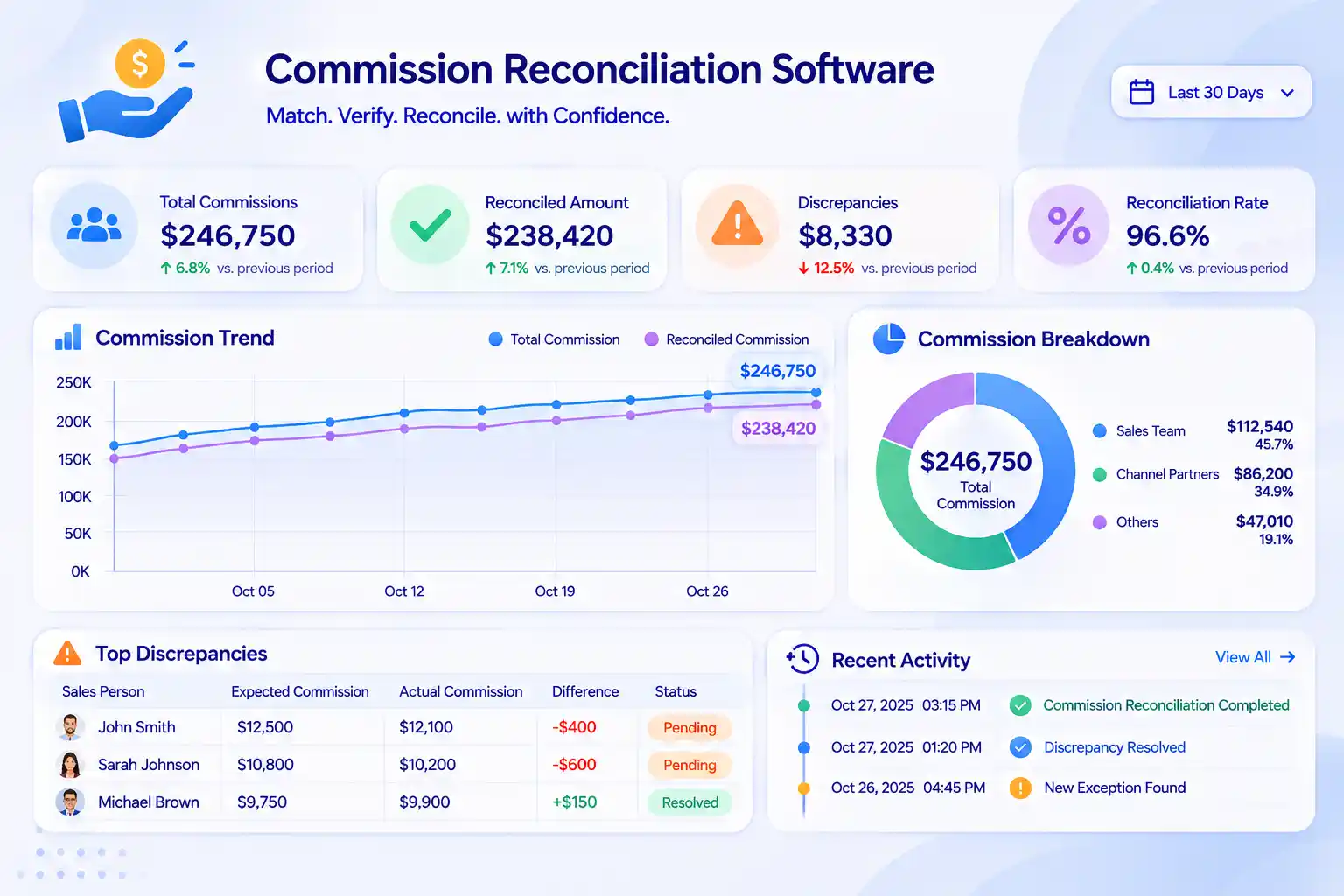
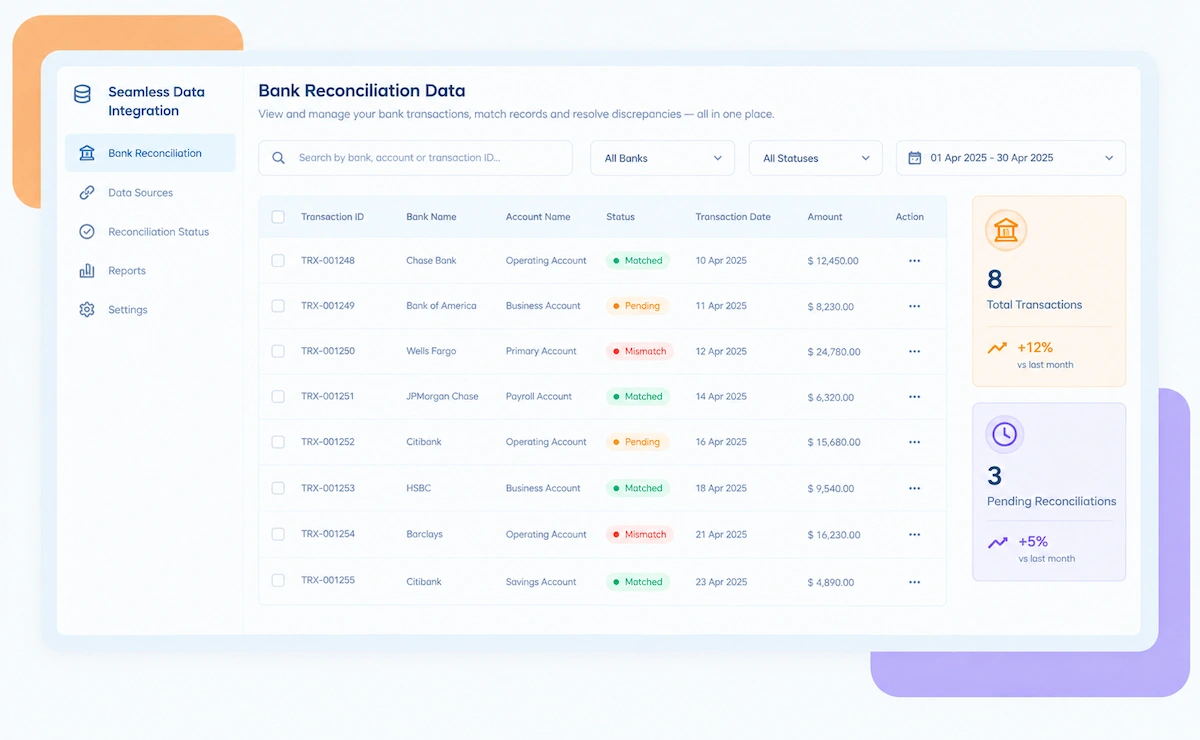
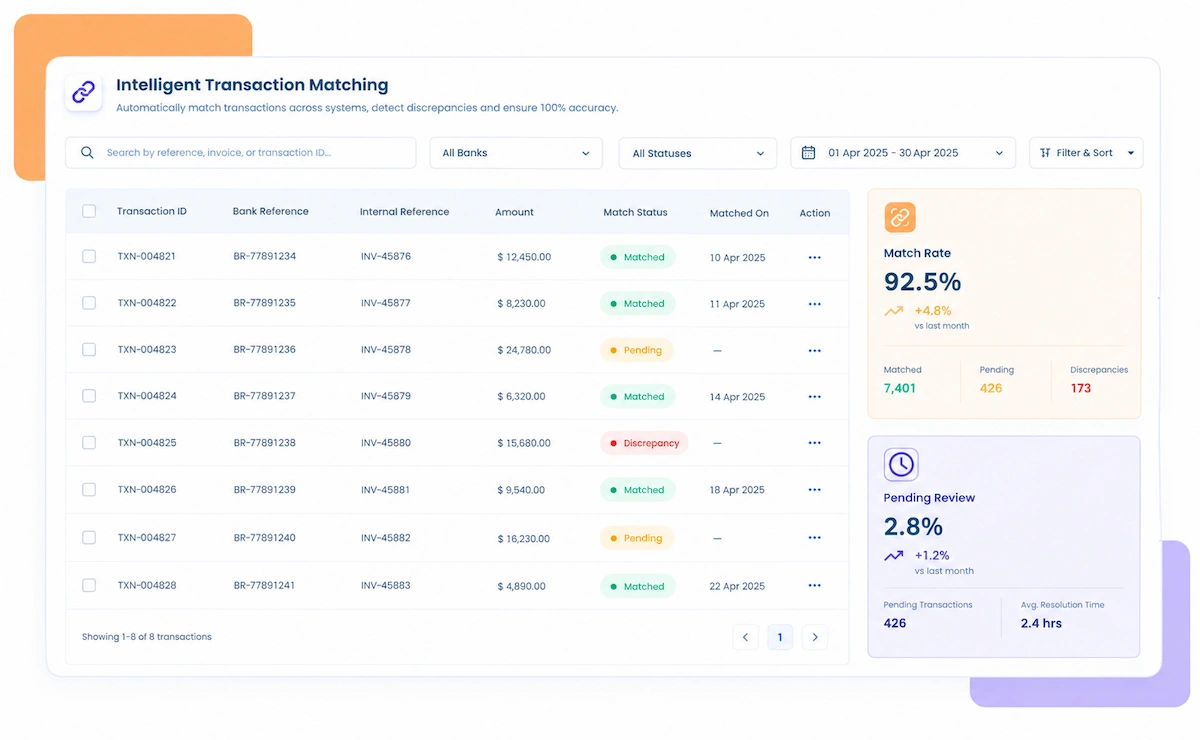
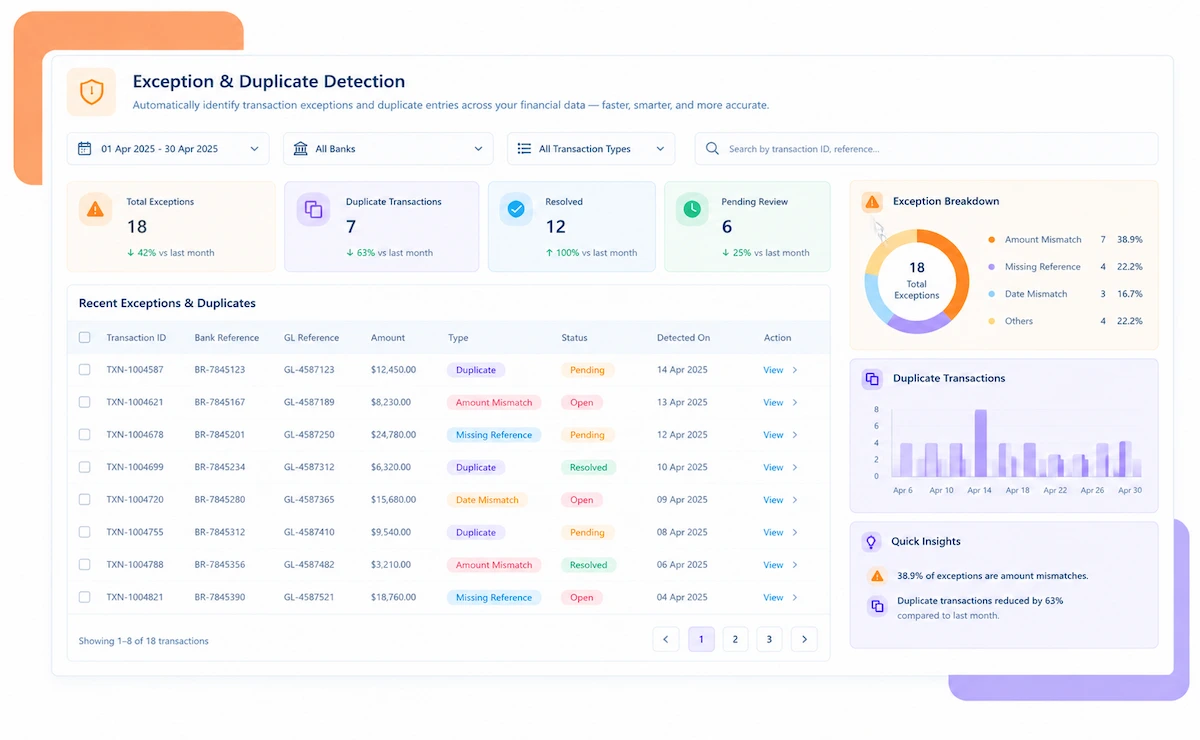
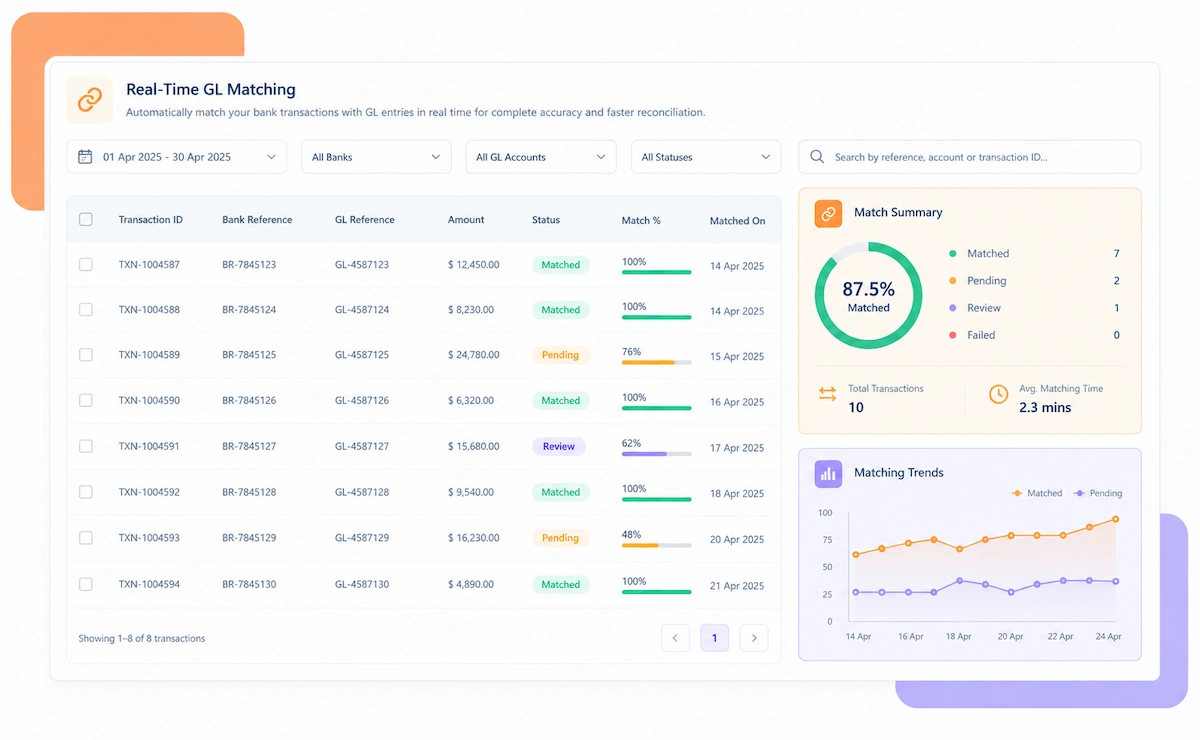
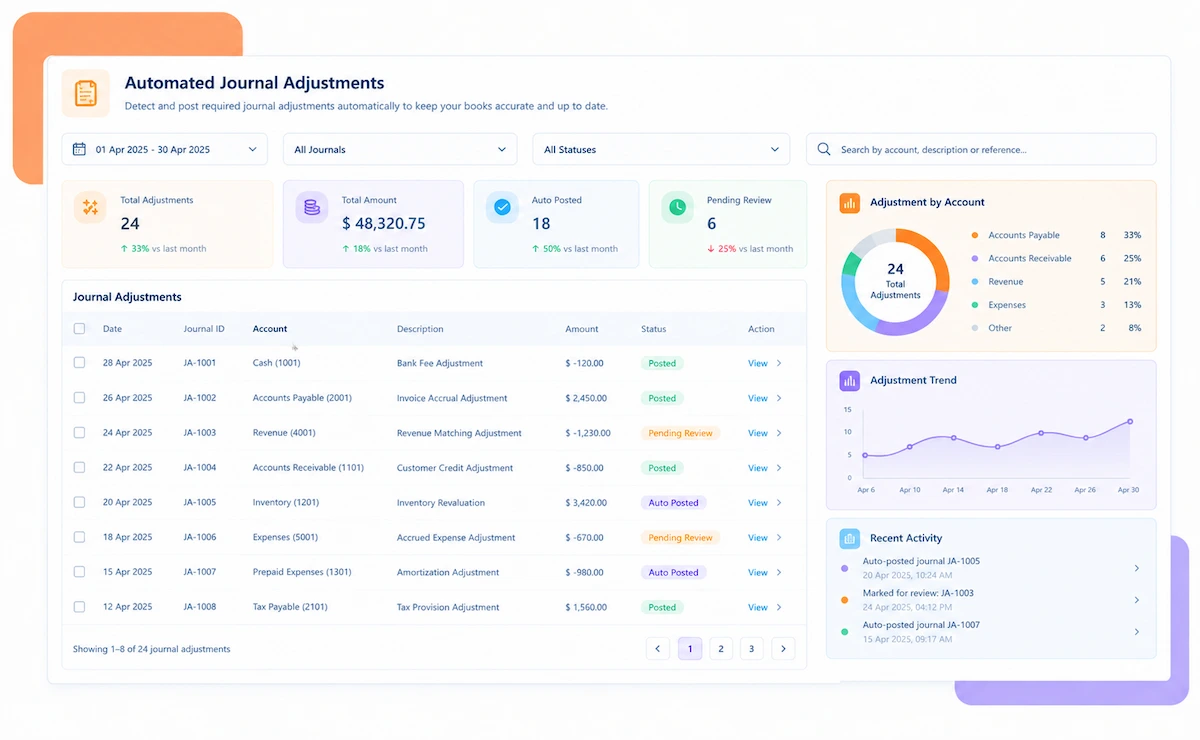
Kosh AI Commission Reconciliation Software Dashboard

A 2026 Commission Reconciliation Tool

Still Doing Commission Reconciliation in a Spreadsheet Every Payout Cycle?

A rep asks why their check doesn't match what the dashboard showed, and someone has to trace the number back through plan rules, approvals, and a payroll batch. Kosh AI keeps that trail connected automatically, so the answer is already there.

What Commission Reconciliation Software Automates

Reconciling commission isn't one comparison. It's five, from the source transaction to the confirmed payment.

How Kosh AI's Commission Reconciliation Software Works

Four steps that take a payout cycle from source data to a confirmed, explainable payment.

  • Transaction data and plan rules connected automatically: Source records, rate tables, and effective dates are brought in without a manual export.
  • Scope confirmed before anything is calculated: Measurement period, data cutoff, currency, and applicable rules are locked in up front.
  • Rates, tiers, and boundaries tested automatically: Every commission is checked against the plan version that was actually in effect for that period.
  • Corrections tracked, not just applied: The original value, the new value, and the reason are all kept together.
  • Approved amounts matched to the payroll batch: Employee IDs, currency, and batch references are checked before anything goes to payroll.
  • Rejections traced to their source: A payroll rejection is linked straight back to the record that caused it.
  • Payments matched against gross commission entries: A payroll file being sent isn't treated as the same thing as a payment being confirmed.
  • Remaining balances classified automatically: Whatever's left gets a cause and an owner, not a shrug at month-end.

Commission Reconciliation Software Use Cases Across Revenue Teams

Commission reconciliation looks different depending on the plan structure and who's relying on the numbers.

Sales Operations

Keeping calculated commissions and payroll handoffs aligned across every rep and plan.

Finance & Payroll

Confirming that approved amounts match what actually goes out in each payout cycle.

Compensation & Audit

Documenting every adjustment with a clear reason for internal and external review.

SaaS & Technology

Multi-tier plans with accelerators and splits that need exact boundary calculations.

Insurance & Financial Services

Agent and broker commissions tied to policy and premium data that changes over time.

Distribution & Retail

Channel partner and rep commissions calculated against high transaction volumes.

Simple Flat-Rate Plans

Straightforward plans that still need source data checked for missing or duplicate records.

Tiered & Accelerator Plans

Boundary and retroactive-rate logic that's easy to get wrong without automated checks.

Split & Team-Based Plans

Commission shared across multiple reps, where allocation errors are the most common issue.

Why Finance and Sales Operations Teams Choose Kosh AI's Commission Reconciliation Software

1

Fewer Payout Disputes

Reps get a number backed by evidence, not a figure someone has to defend after the fact.

2

Faster Payroll Handoffs

ID, currency, and batch errors are caught before they cause a rejected payroll file.

3

Every Adjustment Explained

The original value, the new value, and the reason are kept together, not scattered across emails.

4

Confirmed Settlement, Not Just Sent Files

A payroll file being transmitted is never mistaken for a commission actually being paid.

5

Cleaner Audit Trail

Every approval and correction is logged as it happens, ready for compensation or finance review.

6

Scales With Plan Complexity

Tiered, accelerator, and split plans get the same rigor as a simple flat-rate structure.

With Kosh AI's Commission Reconciliation Software, You Can Achieve

90%Fewer Unexplained Payout Discrepancies
70%Faster Payroll Handoff Turnaround
100%Of Adjustments Logged With a Reason

Integrate Seamlessly with Your Existing ERP Systems

Kosh AI connects directly with all major banks and ERPs, enabling real-time data sync for faster, more accurate reconciliations—no manual uploads, no delays.

Smarter Commission Reconciliation Software Starts with AI

Matching a commission payout to its source data takes more than a lookup. Kosh AI understands which gaps are timing and which ones need a correction.

Pattern matching icon

Pattern-Based Variance Triage

Learns the typical signature of a cutoff timing issue versus a genuine calculation error, so corrections start with a clear cause.

Rule validation icon

Plan Rule Drift Detection

Flags when a calculated amount doesn't match the plan version that should have applied, before payroll ever sees it.

Duplicate detection icon

Duplicate & Split Allocation Checks

Catches double-counted records and sales-credit splits that don't add back up to the original transaction.

Settlement tracking icon

Settlement Confidence Scoring

Distinguishes a payroll file that was sent from a payment that was actually confirmed, instead of treating them the same.

What Is Commission Reconciliation Software?

Commission reconciliation software checks that a commission payout agrees with every stage that produced it: the source sales data, the plan rules applied, the approved amount, the payroll handoff, and the confirmed payment. When all five line up, the payout is reconciled. When they don't, the software shows exactly where the number diverged.

Done manually, this usually lives in a spreadsheet that gets rebuilt every payout cycle, with someone manually checking rates, tiers, and approvals against a payroll export. It works until a plan gets more complex or the team grows, at which point small errors in commissionable basis, rounding, or sales-credit splits start compounding across every rep.

Kosh AI's commission reconciliation software tracks the full chain automatically, from source transaction through confirmed settlement, and keeps a reason attached to every adjustment, so a rep's question about their payout has an answer already waiting.

What is commission reconciliation software

Manual vs. Automated Commission Reconciliation Software – Why Make the Switch?

A spreadsheet can track commission reconciliation for a while. See what changes once it runs automatically instead.

Feature Automated Commission Reconciliation Manual Commission Reconciliation
Source Data ChecksMatched automatically by stable record ID.Checked by hand, often against totals rather than individual records.

Plan Rule ValidationTested against the correct plan version automatically.Easy to miss a retroactive rate change or expired tier.
Adjustment TrackingOriginal value, new value, and reason logged automatically.Often tracked in email threads or informal notes.
Payroll HandoffIDs, currency, and batch references validated before sending.Errors usually discovered only after payroll rejects the batch.
Settlement ConfirmationMatched against actual payment confirmation.A sent file is often assumed to mean the payment went through.


Audit TrailBuilt automatically as reconciliation happens.Reconstructed from spreadsheets and emails before each review.

What to Look for in Commission Reconciliation Software

Commission reconciliation tools vary a lot in what they actually check. These are the capabilities worth confirming.

  • Matching by stable record ID, not name or total: A tool that matches by customer name or deal size will miss duplicates and misallocations that record-ID matching catches.
  • Plan rule validation with effective dates: Tiers, accelerators, and rates change over time. The tool needs to apply the version that was actually in effect.
  • Adjustment tracking with a reason attached: A correction without an explanation just moves the mystery downstream to whoever asks about it next.
  • Separate tracking for the payroll handoff and settlement: A file sent to payroll and a payment actually confirmed are two different events, and the tool should treat them that way.
  • Support for split and multi-tier plans: If your plans have accelerators, caps, or team splits, the tool needs to handle that complexity natively.
  • An audit trail that doesn't need to be rebuilt: Every match, approval, and adjustment should already be logged when compensation or finance needs to review it.
What to look for in commission reconciliation software

What Your Commission Reconciliation Software Needs to Handle

Commission reconciliation gets noticeably harder in a few predictable scenarios.

Complex plan icon

Tiered or Accelerator-Based Plans

Boundary and retroactive-rate calculations are where manual reconciliation makes the most costly mistakes.

Growing team icon

A Growing Sales Team

Reconciliation that worked for twenty reps in a spreadsheet stops working at two hundred.

Multi-currency icon

Multi-Currency or Multi-Entity Payouts

Currency conversion and entity-level rules add a layer of complexity manual checks often miss.

Frequent disputes icon

Frequent Payout Disputes

Any team spending real time each cycle explaining commission gaps to reps needs a faster answer than a manual lookup.

Best Practices for Using Commission Reconciliation Software

A few habits keep commission reconciliation accurate as plans and teams grow.

Lock scope icon

Lock the Scope Before Calculating

Confirm the measurement period, data cutoff, and applicable plan rules before running any calculation, not after.

Document corrections icon

Document Every Correction as It Happens

A change made without a logged reason becomes a mystery the moment someone asks about it later.

Separate handoff icon

Keep the Payroll Handoff Separate From Settlement

Treating a sent payroll file as a confirmed payment is one of the most common sources of reconciliation error.

Classify balances icon

Classify Every Remaining Balance

A leftover amount with no assigned cause or owner tends to stay unresolved indefinitely.

FAQs: Commission Reconciliation Software

What is commission reconciliation software?

It's software that checks whether a commission payout agrees with the source sales data, plan rules, approvals, payroll handoff, and confirmed settlement behind it, flagging any stage where the numbers diverge.

How is this different from commission calculation software?

Calculation software works out what a rep is owed. Reconciliation software confirms that the calculated, approved, and paid amounts all actually match, and explains any gap between them.

Can it handle tiered and accelerator-based commission plans?

Yes. Kosh AI validates tier boundaries, accelerators, and retroactive rate changes against the plan version that was actually in effect.

What's the difference between a payroll handoff and settlement?

A payroll handoff is the file sent for payment. Settlement is the confirmed payment itself. Kosh AI tracks both separately, since a sent file doesn't guarantee a completed payment.

Does it support multi-currency commission plans?

Yes. Currency conversion and entity-level rules are reconciled as part of the standard matching process.

How are adjustments and corrections tracked?

Every correction is logged with the original value, the new value, and the reason, so nothing changes without an explanation attached.

Can it integrate with our existing CRM and payroll systems?

Yes. Kosh AI connects to common CRM, commission, and payroll data sources to pull source transactions and handoff batches automatically.

How long does implementation typically take?

Most teams have their core commission reconciliation running within two to three weeks of connecting source and plan data.

Ready to Try Kosh AI's Commission Reconciliation Software?

Bring a payout cycle where a rep questioned their number. We'll show you how Kosh AI would have traced it automatically.

Book a Demo