Expense Reconciliation Software for the Last Mile of Expense Management

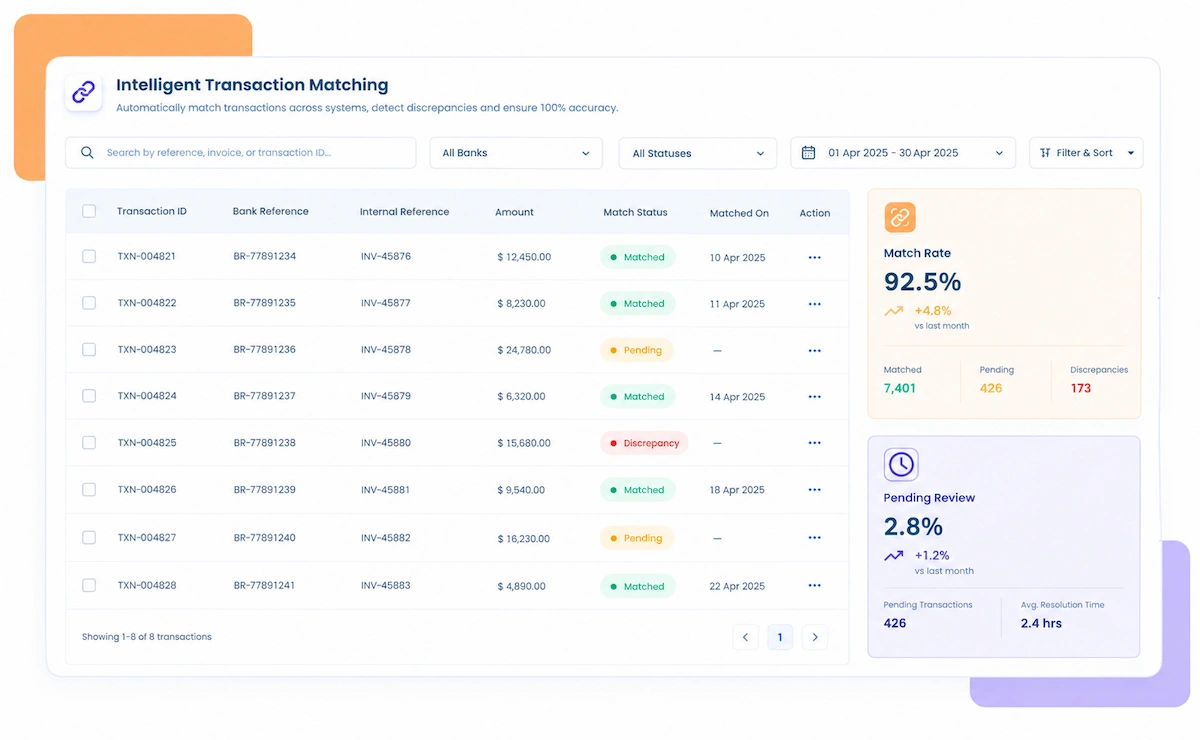
Match Expense Reports to Receipts, Card Statements, and GL Entries Automatically

  • Expense Reports Matched to Receipts and Card Statements as They're Submitted
  • Budget and Policy Compliance Checked Before Approval, Not After
  • Late Submissions Flagged Early Instead of Discovered at Month-End
  • GL Postings Reconciled Without a Manual Spreadsheet Pass
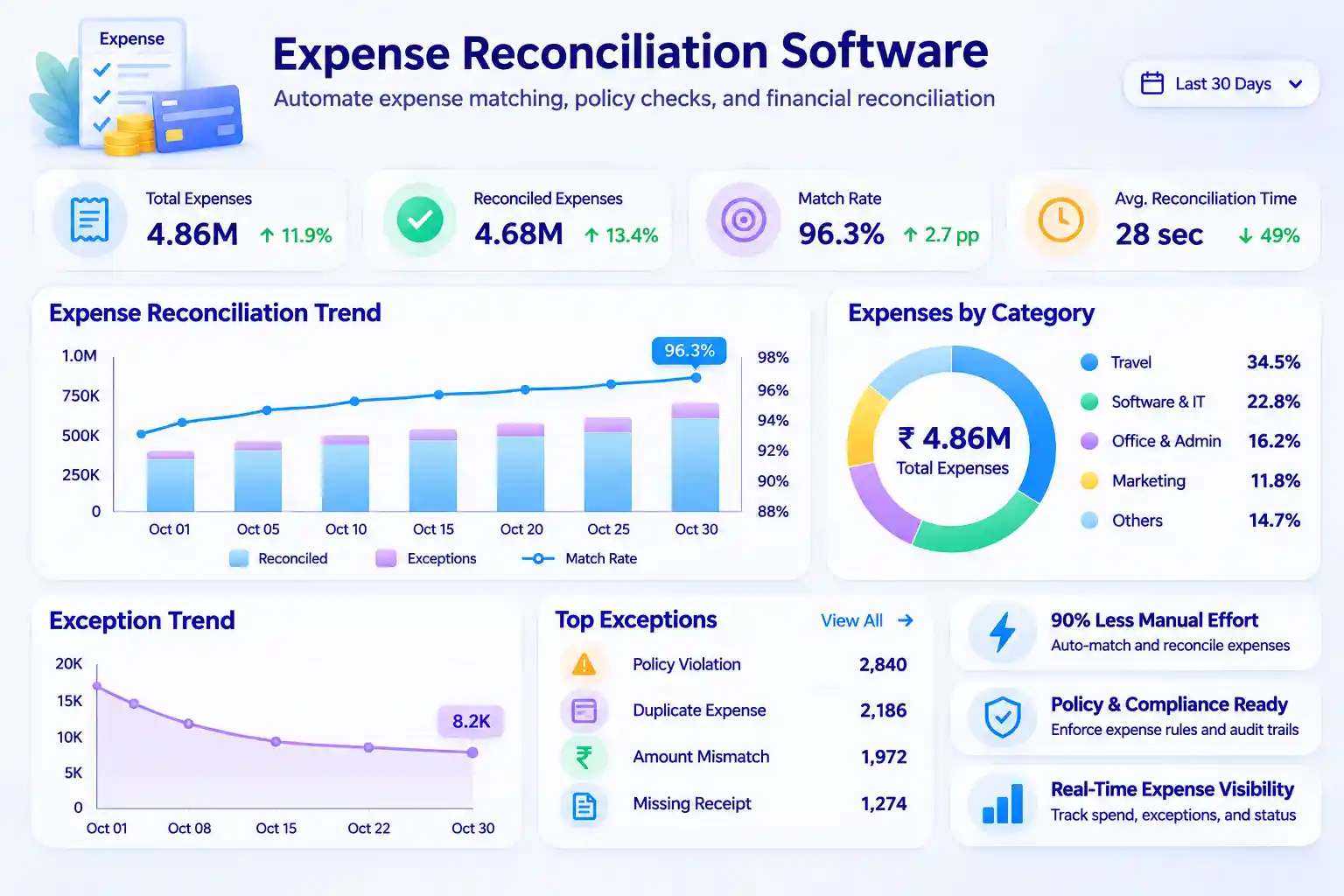
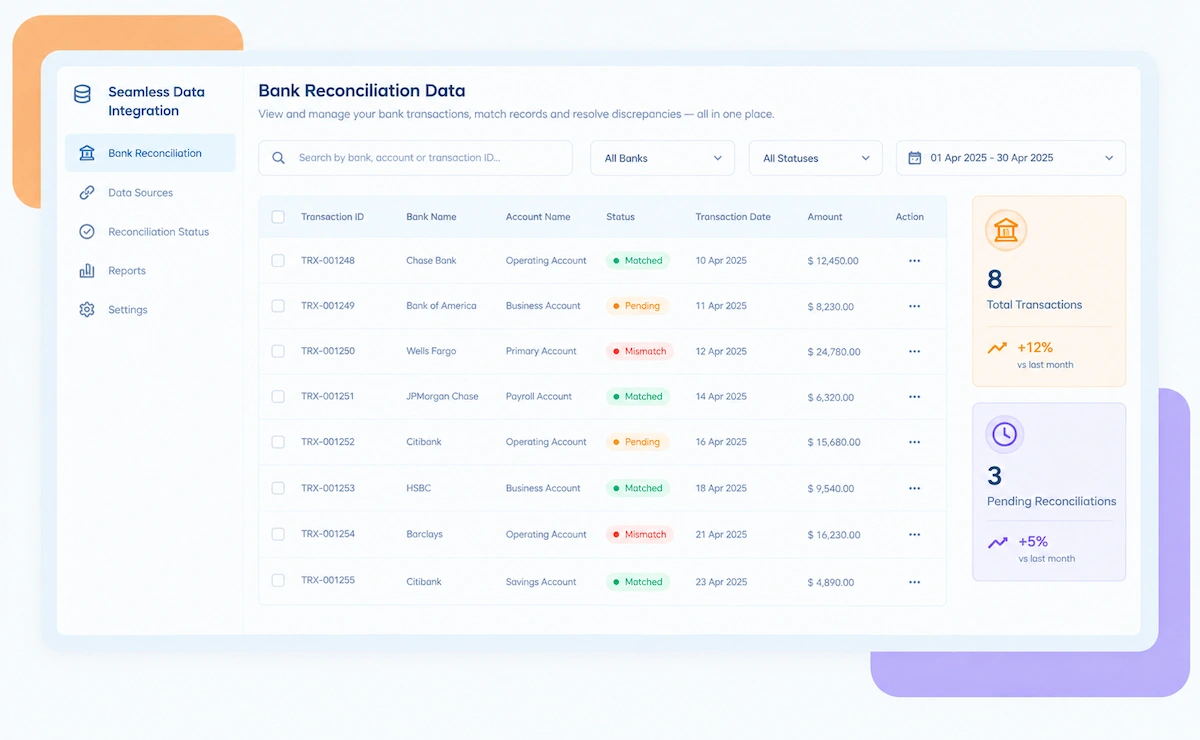
Kosh AI Expense Reconciliation Software Dashboard

A 2026 Expense Reconciliation Software

Still Matching Expense Reports to Receipts by Hand at Month-End?

Purchase orders, invoices, receipts, card statements, and approval forms all arrive on their own timeline and in their own format, and most of them only come together once someone sits down to close the books. Kosh AI matches expense reports to receipts, card data, and GL entries as they're submitted, so month-end isn't the first time anyone checks whether it all ties out.

What Expense Reconciliation Software Automates

Confirming expense spend is accurate, legitimate, and within budget means matching several data sources at once, not just at month-end.

How Kosh AI's Expense Reconciliation Software Works

Four steps that take an expense from submission to a reconciled, GL-posted entry.

  • Expense reports, receipts, and card feeds pulled in automatically: No waiting for a month-end export to start matching.
  • Purchase orders and invoices connected where relevant: Every incoming record is checked against what else exists for that spend.
  • Reports matched to receipts and card transactions: Timing gaps between card statements and report submission are accounted for automatically.
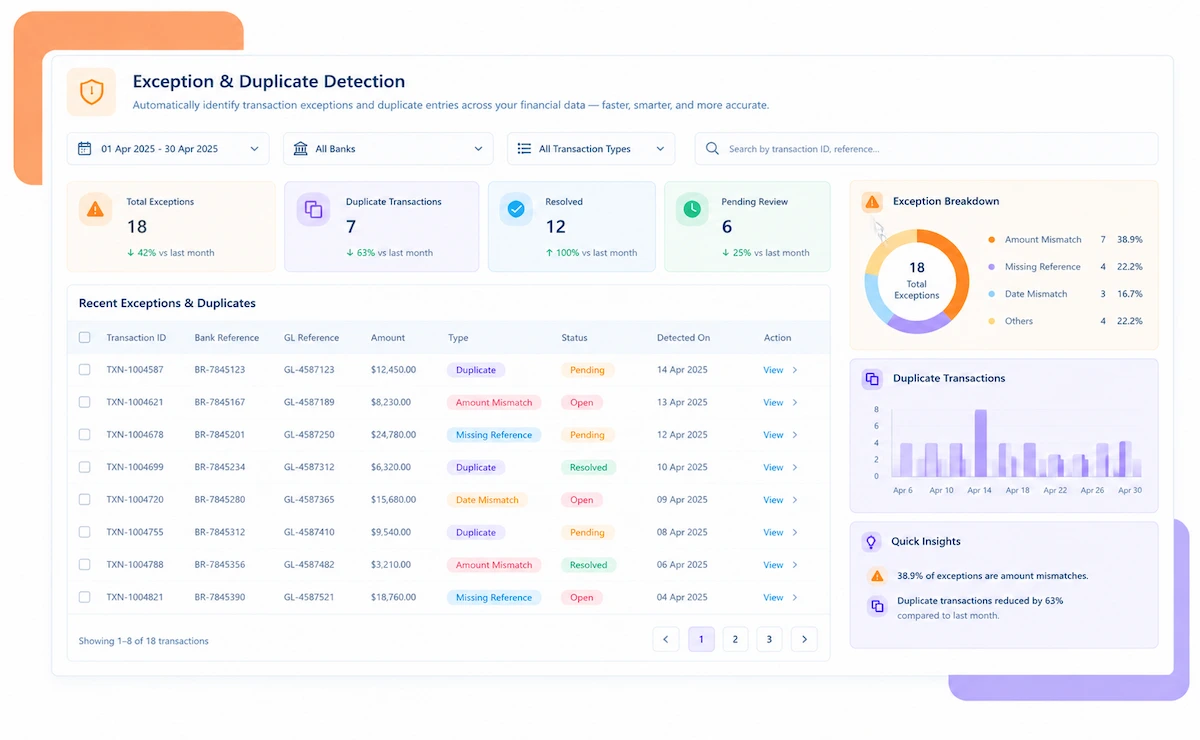
  • Policy and budget checks run before approval: A violation is caught while it can still be resolved, not after reimbursement.
  • Missing receipts and late submissions surfaced early: Nothing waits until month-end close to become a visible problem.
  • Exceptions routed with context attached: Approvers see enough detail to resolve a flag without starting an email thread.
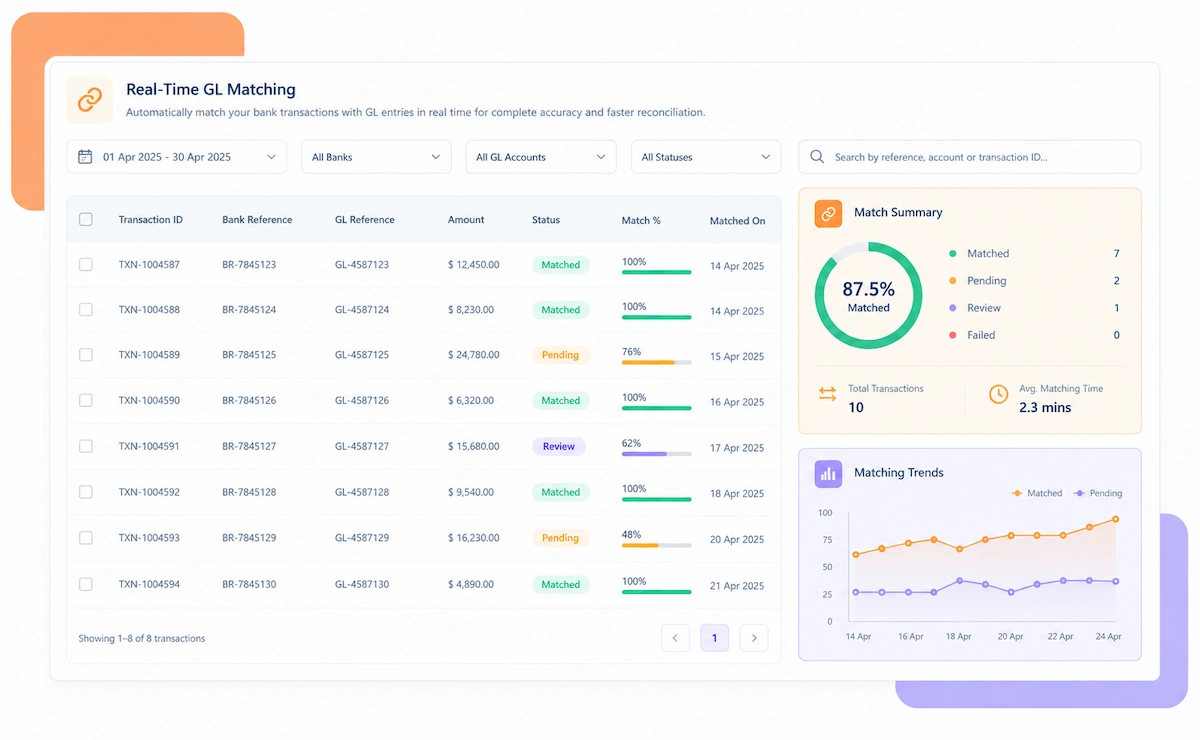
  • Approved expenses post directly into the ERP: No duplicate manual entry once an expense is matched and approved.
  • GL entries checked against their originating report: Month-end close confirms already-reconciled data instead of assembling it from scratch.

Expense Reconciliation Software Use Cases

What expense reconciliation needs to cover changes with company size and how spend is submitted.

Mid-Market Companies

Closing expense reconciliation in days instead of letting it run into the next month.

Enterprises

Reconciling expense activity across departments, cost centers, and regions at scale.


Growing Businesses

Keeping expense reconciliation manageable as headcount and travel spend increase.

AP & Finance Teams

Reviewing only the exceptions instead of matching every expense report by hand.

Employees & Managers

Submitting and approving expenses without a month-end scramble to find missing receipts.

Controllers & CFOs

Closing the books on expense data that's already reconciled instead of assembled at the last minute.

Travel & Entertainment

High-volume, receipt-heavy spend that's the hardest to reconcile manually at scale.

Card-Based Spend

Expenses paid on a corporate or personal card that need matching against statements.

Reimbursable Out-of-Pocket Spend

Employee-paid expenses that need receipts and approval before reimbursement.

Why Finance Teams Choose Kosh AI's Expense Reconciliation Software

1

No Month-End Pile-Up

Matching happens as reports and receipts arrive, so close doesn't start with a backlog to clear.

2

Fewer Missing Receipts

Digital capture at submission means far fewer receipts ever need chasing down.

3

Policy Caught Earlier

Violations surface before approval, not after an employee has already been reimbursed.

4

Closed Timing Gaps

Card statement and report timing differences are reconciled automatically instead of causing delays.

5

Clean GL Postings

Reconciled expenses post directly into the ERP with no duplicate manual entry.

6

Scales With Headcount

More employees and more spend doesn't mean more manual reconciliation work.

With Kosh AI's Expense Reconciliation Software, You Can Achieve

85%Of Expense Reports Matched Automatically
60%Faster Expense Close
0Month-Ends Delayed by Late Submissions

Integrate Seamlessly with Your Existing ERP Systems

Kosh AI connects directly with all major banks and ERPs, enabling real-time data sync for faster, more accurate reconciliations—no manual uploads, no delays.

What Is Expense Reconciliation Software?

Expense reconciliation software compares and matches the financial records tied to employee spending, receipts, invoices, expense reports, and card statements, to confirm that spending is accurate, legitimate, and within budget. It's the last stage of the expense management cycle, sitting between submission and the books actually closing.

Done manually, this means someone checking each expense report against its supporting receipts, confirming it matches a card or bank statement, and verifying it fits policy and budget, all pulled from sources that arrive on different timelines. Card statements often land mid-month while expense reports trickle in through month-end, which is exactly the kind of timing gap that delays closing the books when everything is matched by hand.

Kosh AI's expense reconciliation software matches expense reports to receipts, card statements, and GL entries as they're submitted, checks policy and budget compliance before approval, and posts reconciled entries straight into the accounting system, so month-end close confirms already-reconciled data instead of assembling it from scratch.

What is expense reconciliation software

Manual vs. Automated Expense Reconciliation – Why Make the Switch?

Matching expense reports to receipts by hand can work for a small team. See what changes as headcount and spend grow.

Feature Automated Expense Reconciliation Manual Expense Reconciliation
Receipt MatchingMatched to reports automatically as both arrive.Checked by hand once a report is submitted.
Card Statement MatchingReconciled against submitted expenses continuously.Compared manually once the statement arrives mid-month.
Policy & Budget ChecksRun before approval.Reviewed after the fact, sometimes after reimbursement.
Late Submission TrackingFlagged early, while there's time to chase it.Discovered during month-end close.
GL PostingPosted directly once reconciled.Entered manually, prone to duplication.
Close ImpactA confirmation step on already-reconciled data.A data assembly exercise that can delay the close.

Why Finance Teams Are Automating Expense Reconciliation

A few reasons the expense close stops waiting on the last submission:

  • A receipt captured digitally at submission is far less likely to go missing than one chased down after the fact.
  • Matching card statements against expense reports as both arrive closes the timing gap that delays reconciliation at month-end.
  • Catching a policy violation before approval is far easier to resolve than one discovered after an employee has already been reimbursed.
  • Flagging a late submission early gives finance time to chase it down instead of discovering the gap during close.
  • Posting reconciled expenses straight into the ERP removes the duplicate manual entry that causes most GL mismatches.
Why finance teams automate expense reconciliation

Who Needs Expense Reconciliation Software Like This

A few signs point to a company's expense reconciliation outgrowing a manual, spreadsheet-based process.

1

Growing Headcount or Travel Spend

Companies where the volume of expense reports has outgrown what a manual review can keep up with.

2

Frequent Late Submissions

Teams where late or incomplete expense reports regularly delay closing the books.

3

Multiple Spend Sources

Businesses reconciling card spend, out-of-pocket reimbursements, and invoiced expenses all at once.

4

Slow Month-End Close

Finance teams where expense reconciliation is consistently the last piece of close to finish.

Best Practices Built Into Kosh AI's Expense Reconciliation Approach

A few habits keep expense reconciliation fast and clean as spend and headcount grow.

Early capture icon

Capture Receipts at Submission

A receipt attached the moment an expense is submitted is far less likely to go missing than one requested later.

Continuous matching icon

Match Continuously, Not Just at Month-End

Matching reports to receipts and card data as they arrive avoids the end-of-month pile-up entirely.

Early policy check icon

Check Policy Before Approval

A violation caught before reimbursement is a quick conversation, not a clawback.

Documentation icon

Keep a Continuous Audit Trail

A record built as expenses reconcile holds up far better under audit than one reconstructed after close.

FAQs: Expense Reconciliation Software

What is expense reconciliation software?

It's software that matches employee expense reports against receipts, card statements, and GL entries to confirm spending is accurate, legitimate, and within budget.

How is this different from expense management software?

Expense management covers submission and approval. Reconciliation is the last stage, confirming that what was submitted actually matches receipts, statements, and GL postings.

How does it handle card statement timing gaps?

Card transactions are matched against submitted expense line items as both arrive, with timing differences between statement and report dates accounted for automatically.

Can it catch policy violations before reimbursement?

Yes. Spend is checked against policy limits and budget before approval, so a violation is caught while it's still easy to resolve.

Does it track late submissions?

Yes. Submission deadlines are tracked against expense activity, and late or missing reports are flagged while there's still time to chase them down.

Does it integrate with accounting or ERP systems?

Yes. Reconciled, approved expenses post directly into the accounting or ERP system, respecting the existing chart of accounts.

Can it handle multiple spend sources?

Yes. Card spend, out-of-pocket reimbursements, and invoiced expenses are all reconciled against their respective sources.

How soon do expense reports start reconciling automatically?

Most finance teams see their first month of expense reports reconciling automatically within a few weeks of connecting card and accounting data.

Ready to Try Kosh AI's Expense Reconciliation Software?

Walk in with a few expense reports that took forever to close out last month. We'll show you how Kosh AI would have reconciled them the day they were submitted.

Book a Demo