Data Reconciliation Software That Compares Any Two Data Sets and Tells You What Doesn't Match

Stop Trusting a VLOOKUP to Catch Every Mismatch. Kosh AI Compares Full Data Sets Field by Field and Explains Every Gap

  • Compares Records Across Files, Databases, and Systems Automatically
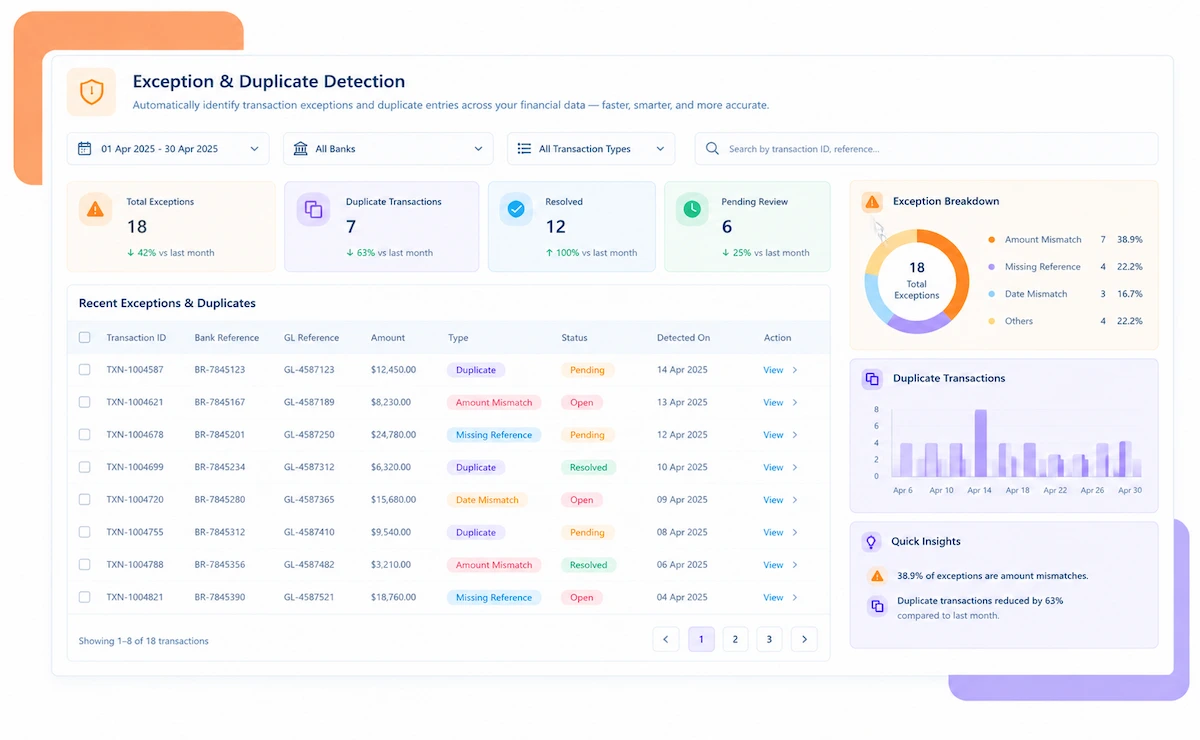
  • Flags Missing, Duplicate, and Mismatched Records as Exceptions
  • Handles Structured Exports and Messy, Unformatted Files Alike
  • Keeps a Documented Trail of Every Comparison Run
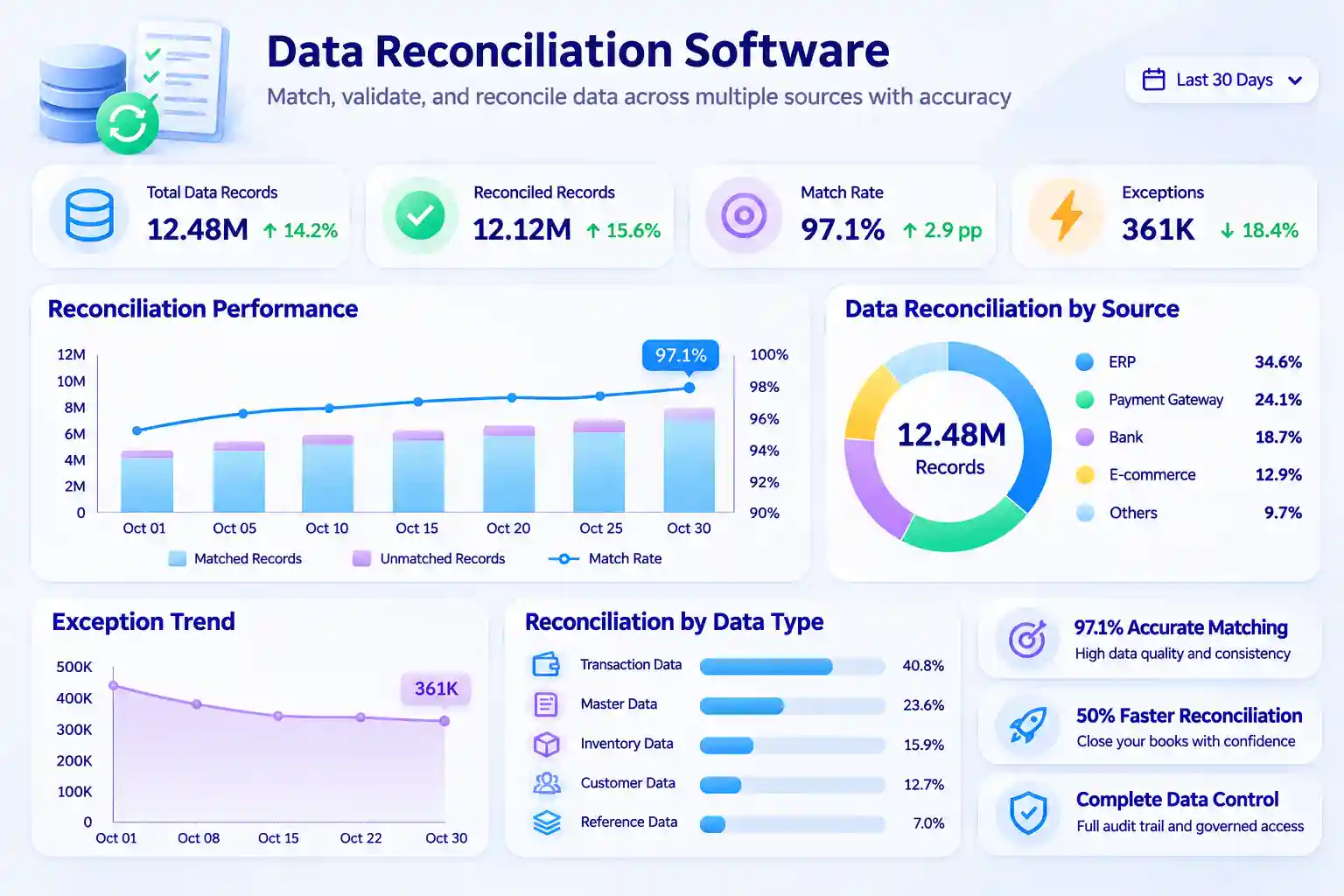
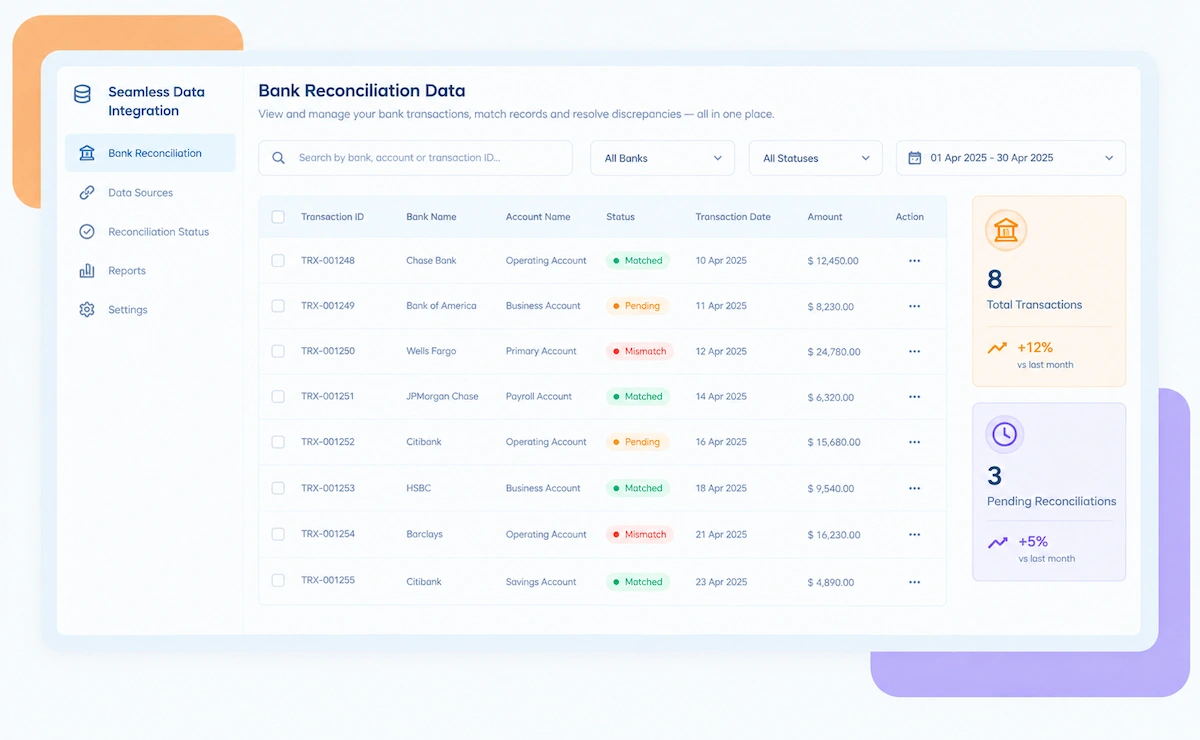
Kosh AI Data Reconciliation Software Dashboard

A 2026 Data Reconciliation Software

Two Spreadsheets. One of Them Is Wrong. Which One?

A manual comparison catches the differences someone happens to look for. Kosh AI compares entire data sets record by record and field by field, so a mismatch that would slip past a visual scan gets flagged the same way a missing row does.

What Data Reconciliation Software Actually Automates

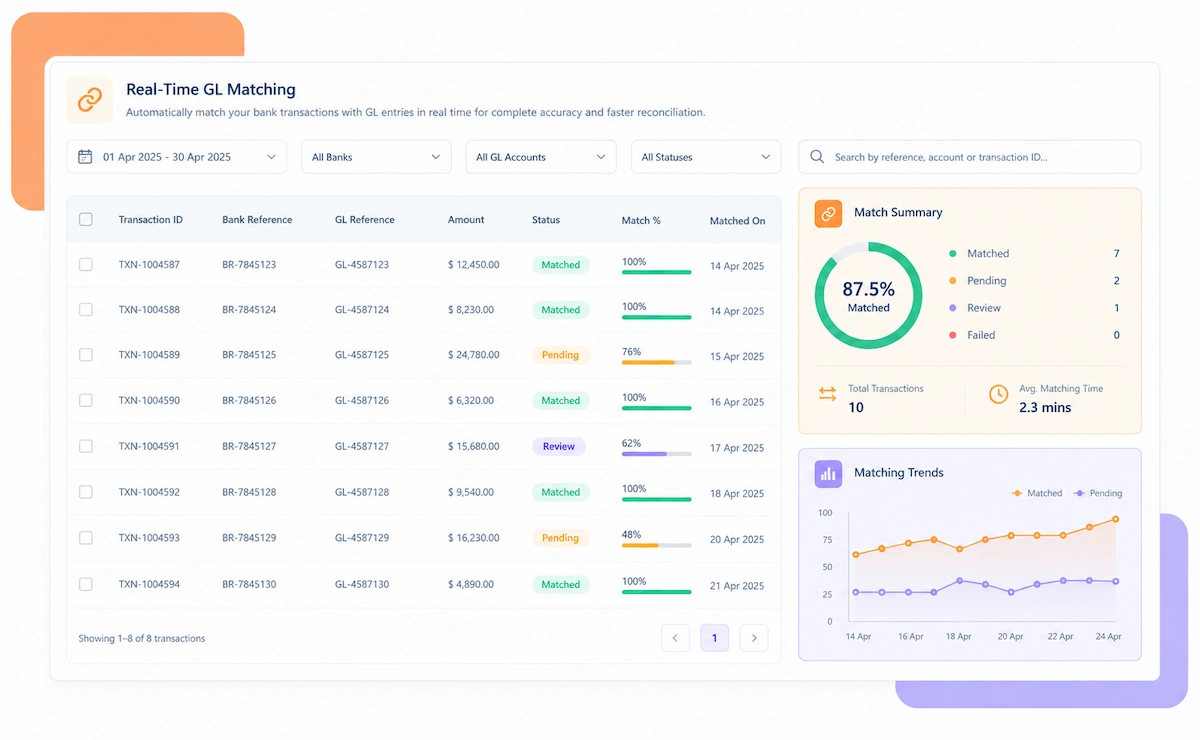
Reconciling data means proving two sources agree, and explaining precisely where they don't. Kosh AI handles both halves of that job. Teams whose data sits in finance specifically usually pair this with financial reconciliation software, which applies the same matching engine to accounting records.

How Kosh AI's Data Reconciliation Software Works

Four steps turn two disconnected data sets into one confirmed, documented comparison. Teams moving data between systems often run this alongside automated reconciliation software, built for ongoing reconciliation once systems are live rather than a one-time comparison.


  • Direct connections or file uploads supported: Data comes in from databases, APIs, flat files, or exported reports, whichever way each source actually delivers it.
  • Structure inferred automatically: Column headers and field types are mapped without a manual setup project for every new source.
  • Key fields selected for matching: You choose which fields identify a record as the same across both sides, whether that's an ID, a date range, or a combination.
  • Tolerances set where they belong: Rounding and timing differences get a defined tolerance instead of flooding the exception queue.
  • Every record checked, not sampled: The full data set is compared, not a representative slice someone decided was good enough.
  • Exceptions grouped by type: Missing records, duplicates, and field mismatches are separated so each gets the right kind of attention.
  • A clear reconciled outcome either way: A set that fully matches is confirmed; one that doesn't comes with a specific list of what's wrong and where.
  • The run itself stays on record: What was compared, what rules applied, and what was resolved stays available for the next audit or review.

Where Data Reconciliation Software Gets Used

The same core comparison problem shows up in several different situations, each with its own stakes. Many teams pair this with transaction matching software, which focuses specifically on matching individual transactions rather than whole data sets.

System Migrations

Confirming every record made the move from an old system to a new one intact.

Ongoing Data Sync Checks

Catching the moment two systems that should stay in sync start drifting apart.

Regulatory and Audit Reporting

Proving the numbers in a filing tie back to the underlying source records.

Finance and Accounting Teams

Confirming ledger balances agree with the operational systems that feed them.

Data and IT Teams

Verifying integrations and ETL pipelines are moving data correctly between systems.

Compliance and Risk Teams

Documenting that reported figures match their source data, consistently and repeatably.

Data Reconciliation at Scale

Kosh AI compares millions of records without the process slowing down as volume grows.

  • Full data sets compared, not samples.
  • Exceptions grouped and prioritized automatically.
  • Comparison history retained for every run.
  • Data Reconciliation for Smaller Teams

    Kosh AI gives lean teams enterprise-grade comparison logic without a data engineering project.

  • No custom scripts to build or maintain.
  • New data sources onboarded in days, not months.
  • Results readable without a technical background.
  • What Changes When Data Reconciliation Stops Being Manual

    A spreadsheet comparison catches what someone thought to check for. An automated one catches everything.

    1

    Full Coverage, Not a Sample

    Every record gets compared, so a gap buried in row ten thousand doesn't get missed.

    2

    Exceptions Explained, Not Just Flagged

    Each mismatch comes with the specific field and value that disagree, not just a red cell.

    3

    Any Source Format Handled

    Databases, flat files, and messy exports all get compared the same way.

    4

    A Documented Trail Every Time

    Every comparison run is logged, so answering an audit question doesn't mean redoing the work.

    5

    Faster Turnaround at Any Volume

    A million-row comparison takes about as long to set up as a thousand-row one.

    6

    Fewer Repeat Errors

    Recurring mismatch patterns surface clearly enough to fix the root cause, not just the symptom.

    With Kosh AI's Data Reconciliation Software, Teams Achieve

    95%Of Records Matched Automatically Across Sources
    80%Less Time Spent on Manual Data Comparison
    0Mismatches Left Unexplained

    Integrate Seamlessly with Your Existing ERP Systems

    Kosh AI connects directly with all major banks and ERPs, enabling real-time data sync for faster, more accurate reconciliations—no manual uploads, no delays.

    Smarter Data Reconciliation Starts with AI

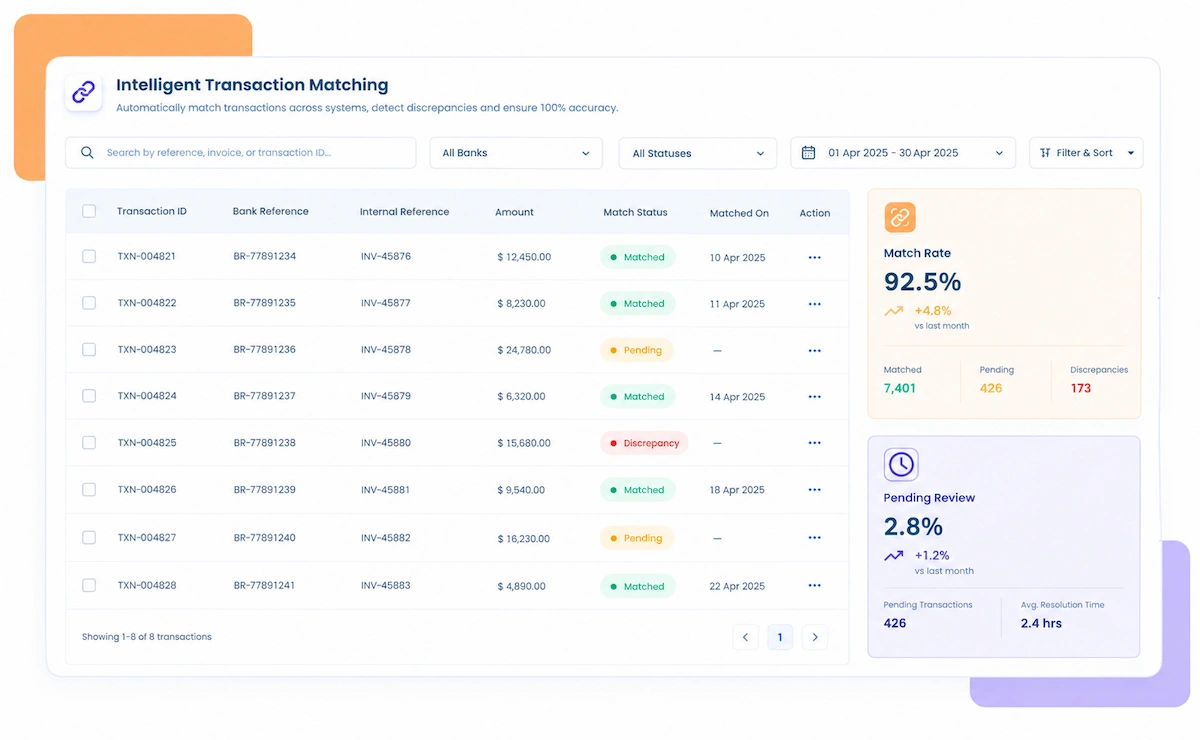
    A formula-based comparison only catches what the formula was written to catch. Kosh AI understands when two records describe the same thing, even when they don't look identical.

    Fuzzy matching icon

    Fuzzy and Partial Matching

    Recognizes the same record across systems even when naming, formatting, or structure differ slightly.

    Format flexibility icon

    Format-Agnostic Ingestion

    Reads structured exports and messy, inconsistent files without separate setup work for each.

    Pattern detection icon

    Recurring Mismatch Pattern Detection

    Surfaces when the same type of discrepancy keeps appearing, pointing at a root cause instead of a one-off error.

    Scale handling icon

    Scales Without Slowing Down

    Comparison speed doesn't degrade as record counts grow into the millions.

    Manual vs. Automated Data Reconciliation – What Changes

    A spreadsheet-based comparison can work for a few hundred rows. See what happens as the data set grows. The same underlying matching engine also powers multi-entity reconciliation software, for teams comparing records across several business entities at once.

    Feature Automated Data Reconciliation Manual Data Reconciliation
    Record MatchingMatched automatically across systems, including fuzzy matches.Matched manually using lookups, prone to missed rows.
    CoverageEvery record in the data set compared.Often limited to a sample or spot-check.
    Field-Level ChecksEvery field compared with defined tolerances.Usually limited to a visual scan of key columns.
    Unstructured SourcesPDFs and inconsistent exports parsed automatically.Often re-typed or reformatted by hand first.
    Audit TrailEvery comparison run logged automatically.Rebuilt from memory or scattered files when asked.
    Scaling UpLarger data sets take about the same setup effort.More rows generally means proportionally more manual work.

    Reconcile Your First Data Set in Under a Day

    Upload or connect two data sources, and Kosh AI shows you exactly where they agree and where they don't, the same day.

    Schedule a Quick Demo
    Ring Container customer success story

    Why Teams Are Automating Data Reconciliation

    Data reconciliation sounds like a solved problem until the data sets involved stop being small and clean. A ten-row comparison is trivial by eye. A hundred-thousand-row comparison between a legacy system export and a new platform's database is a different task entirely, and that's exactly where manual methods start missing things that matter.

    The failure mode isn't usually dramatic. It's a handful of records that didn't migrate, a field that got truncated during export, or a duplicate that slipped in during a retry. Individually small, but the kind of thing that compounds into a reported number that's quietly wrong for months before anyone notices.

    Kosh AI treats data reconciliation as a standing capability rather than a one-time project. Connect two sources, define what a match means, and every record gets checked, field by field, every time the comparison runs, with a documented result either way.

    Why teams automate data reconciliation

    What Your Data Reconciliation Process Needs to Handle

    The right trigger for automating this isn't data volume alone. It's how often the comparison needs to run and how much is riding on it.

    Multiple sources icon

    Data Spread Across Multiple Systems

    Once the same information lives in more than one place, someone has to confirm it still agrees.

    Migration icon

    Teams Mid-Migration or Post-Migration

    A migrated data set needs proof that nothing was lost or altered along the way.

    Recurring comparison icon

    Recurring, Not One-Time, Comparisons

    A check that needs to run every week shouldn't take the same manual effort every single time.

    Audit documentation icon

    Teams That Need to Document the Check

    Anywhere the comparison itself might get questioned later needs more than a one-time spreadsheet glance.

    How to Get Data Reconciliation Right From the Start

    A few habits separate a reconciliation process that stays trustworthy from one that quietly drifts out of sync.

    • Pick fields that uniquely identify a record: A vague match key produces false matches and false exceptions in roughly equal measure.
    • Document the logic, not just the result: The next person who touches the process needs to know why a match rule was set up a certain way.
    • Separate rounding noise from real discrepancies: A tolerance that's too tight floods the queue; one that's too loose hides real problems.
    • Revisit tolerances as data sources change: A new source system can shift what counts as normal variance.
    • Not every mismatch carries the same weight: A missing high-value record deserves attention before a one-cent rounding difference does.
    • Route exceptions to the right owner: An exception with no clear owner is the one most likely to sit unresolved.
    • Log what was compared and when: A reconciliation result without a trail behind it is hard to defend under audit.
    • Preserve resolution history: Knowing how a past exception was resolved speeds up the next similar one.

    FAQs: Data Reconciliation Software

    What is data reconciliation software?

    It's software that compares records across two or more data sources, such as files, databases, or systems, and identifies where they match, where they're missing, and where field values disagree.

    What kinds of data sources can it compare?

    Kosh AI connects to databases, APIs, flat files, and exported reports, and can also read unstructured formats like PDFs and inconsistently formatted spreadsheets.

    How does it handle records that don't use identical keys?

    Kosh AI applies fuzzy and partial matching to recognize the same record across sources even when naming or formatting differs slightly.

    Does it compare every record, or just a sample?

    Every record in the data set is compared. Kosh AI doesn't rely on sampling, so gaps buried deep in a large data set don't get missed.

    Can it catch duplicate records?

    Yes. Duplicate entries are identified automatically, even when formatting varies slightly between the two copies.

    Is this different from financial reconciliation software?

    Data reconciliation is the broader comparison capability. Financial reconciliation applies that same matching logic specifically to accounting and transaction records.

    Does it keep a record of past comparisons?

    Yes. Every comparison run, the rules applied, and any exception resolutions are logged for audit and compliance review.

    How long does it take to set up a new comparison?

    Most teams have their first data sets reconciling within days of connecting both sources, without a custom scripting project.

    See Your Own Data Sets Reconciled Live

    Bring two data sources that are supposed to agree. We'll show you exactly where they do, and where they don't.

    Book a Demo